



YouTube Video Tutorial (english subtitles)

Anweisungen zum Erstellen einer Diskussion auf der Website des Diskussionsforums – disqus.com
In dieser Anleitung erfahren Sie, wie Sie der Webnode-Website eine Diskussion hinzufügen, damit Besucher Ihrer Website Kommentare hinzufügen oder diskutieren können.
Wir werden eine externe Anwendung verwenden – HTML-Code.
1. Registrieren Sie sich
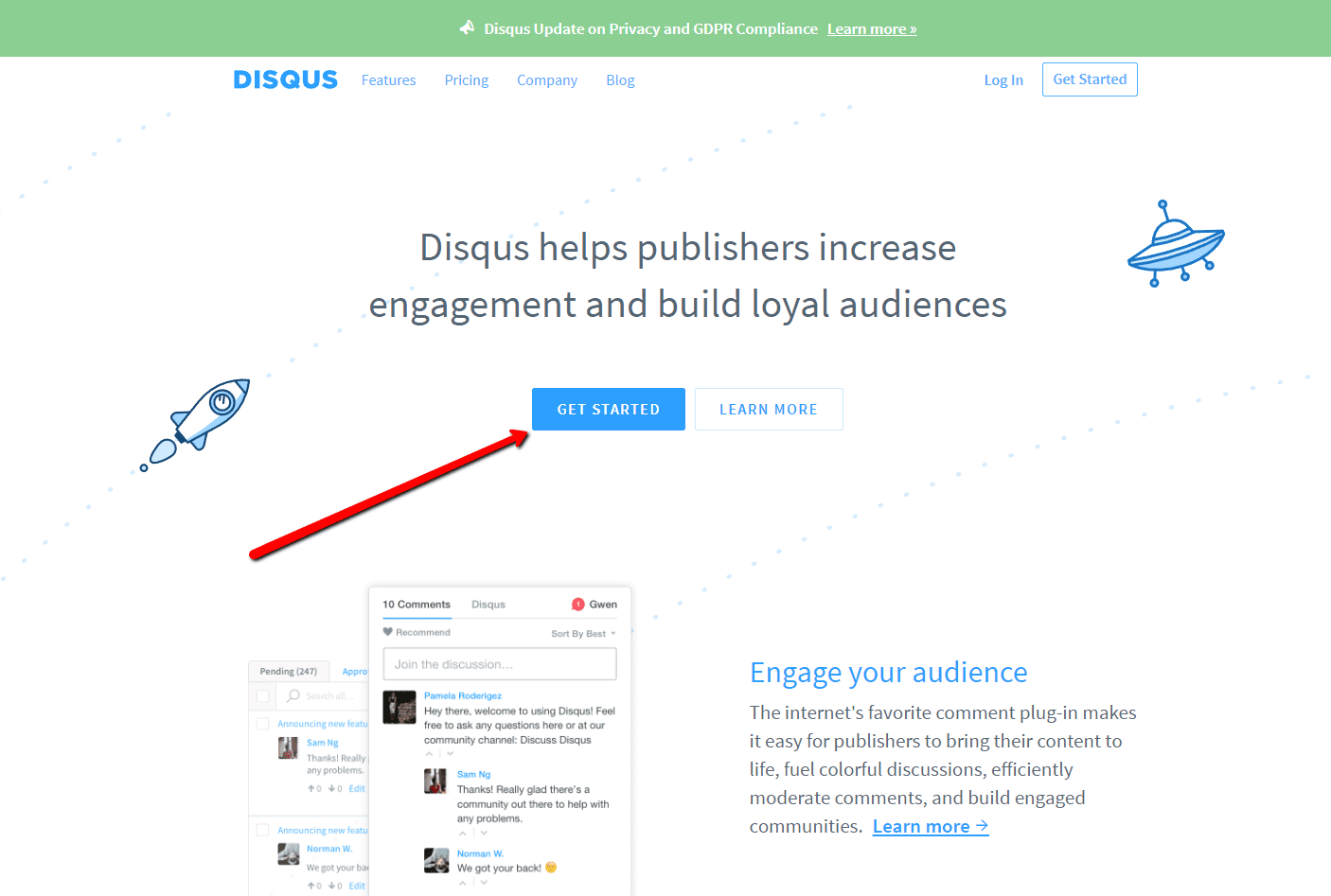
Der erste Schritt ist die Registrierung auf disqus.com.

2. Geben Sie die Anmeldedaten ein
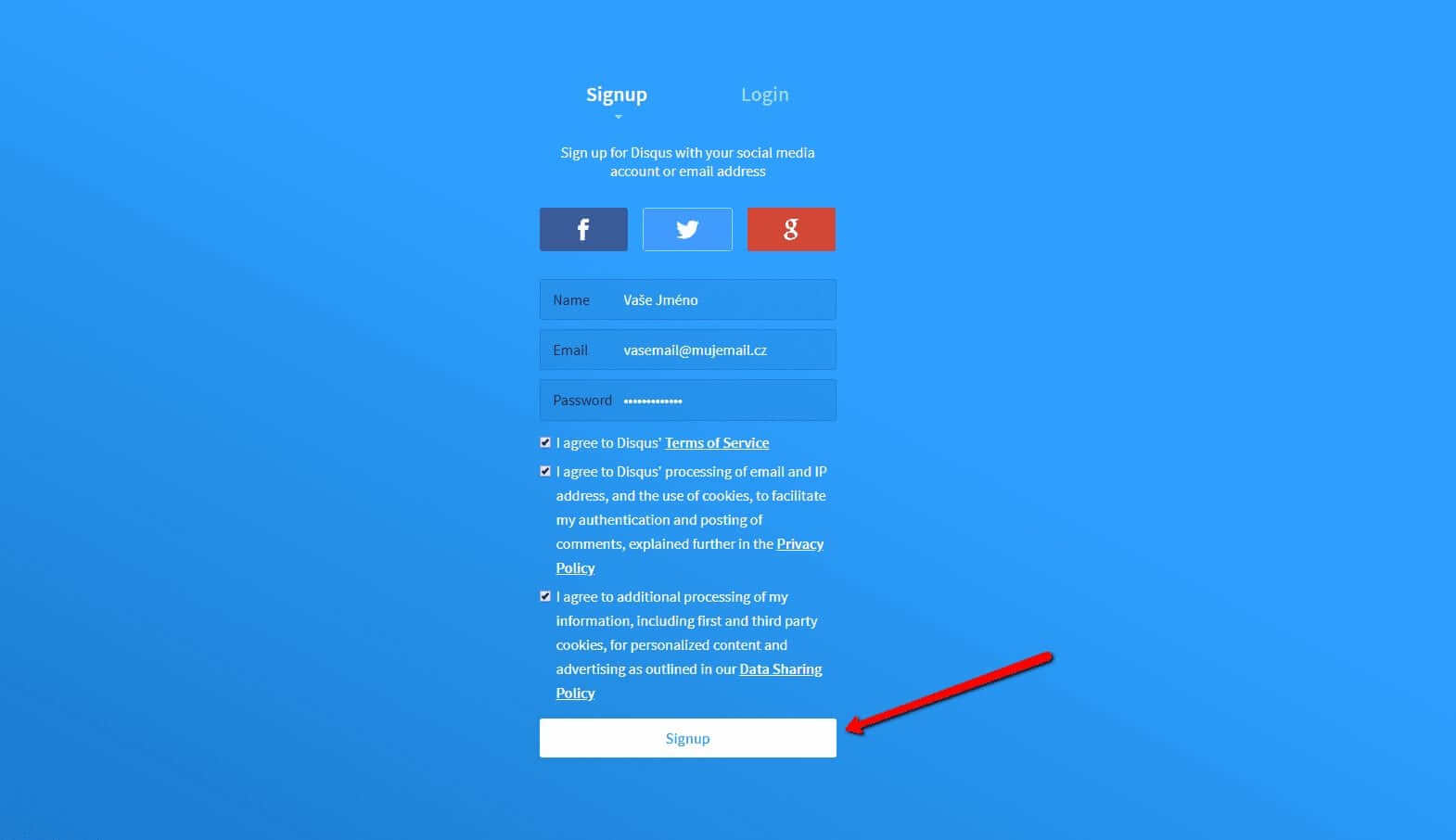
Sie können sich mit einem Konto in einem sozialen Netzwerk oder per E-Mail anmelden.

3. Wählen Sie die Option Disqus im Web installieren
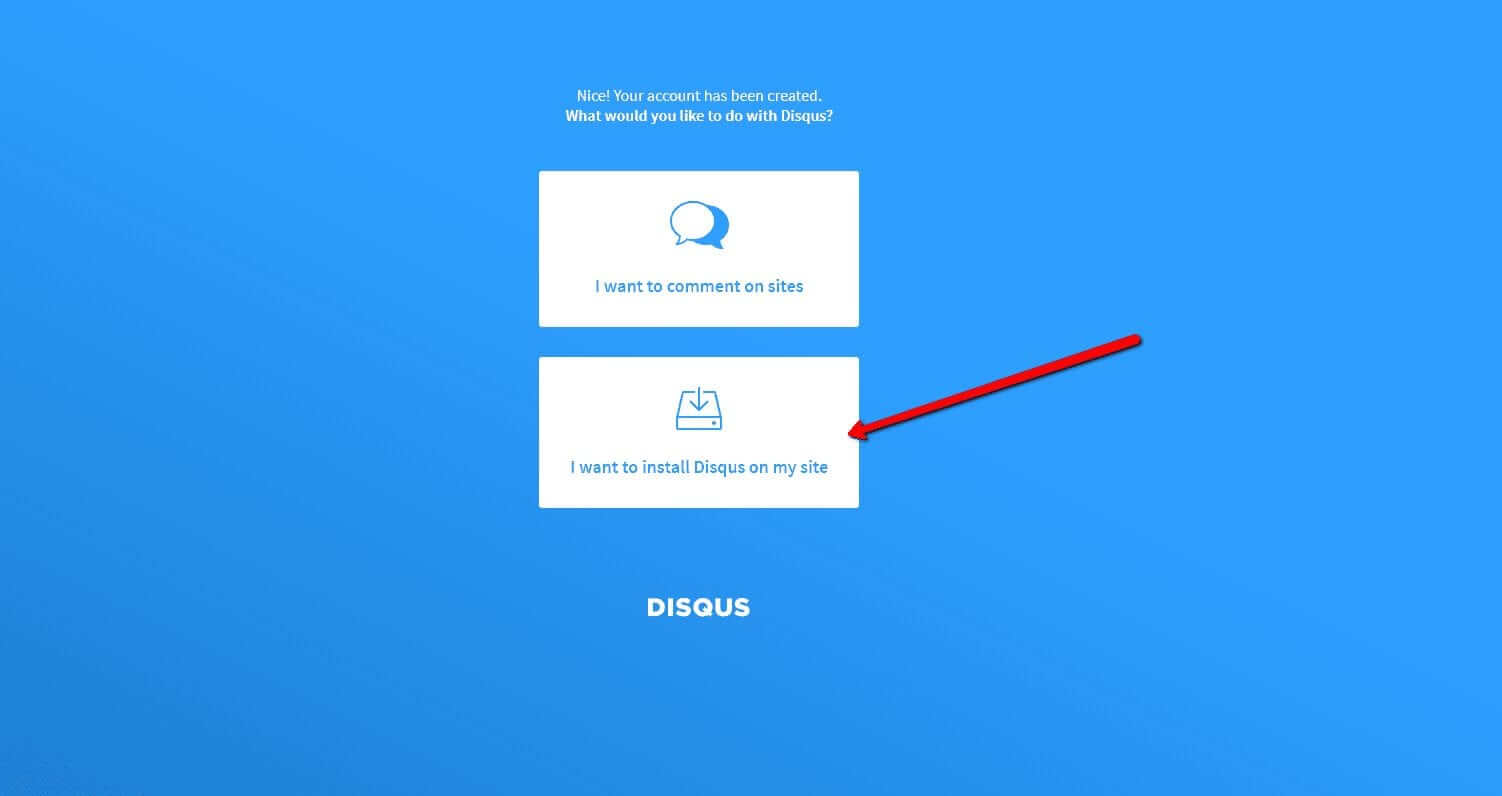
Jetzt müssen Sie nur noch den Zweck auswählen, für den Sie Disqus verwenden möchten.
Wählen Sie die zweite Option – “I want to install Disqus on my site“

4. Erstellen Sie die Seite
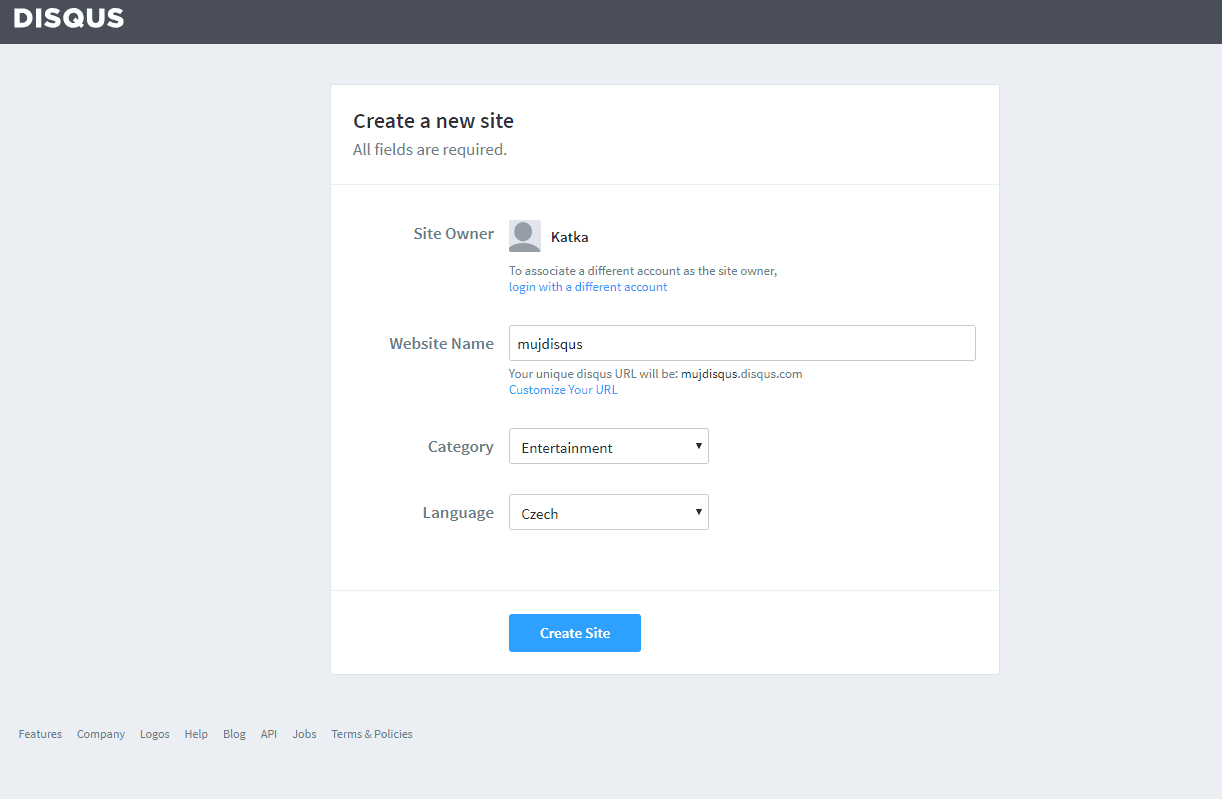
Geben Sie den Seitentitel, die Kategorie und die Sprache ein. Alle Felder sind erforderlich. Bestätigen Sie mit “Create Site“.

5. Wählen Sie einen Plan
Sie können zwischen kostenlosen Plänen (Basic, Free) und Premium-Plänen (Plus, Pro) wählen. Für den normalen Gebrauch sind kostenlose Pläne ausreichend.
Es ist aber Ihre Entscheidung.
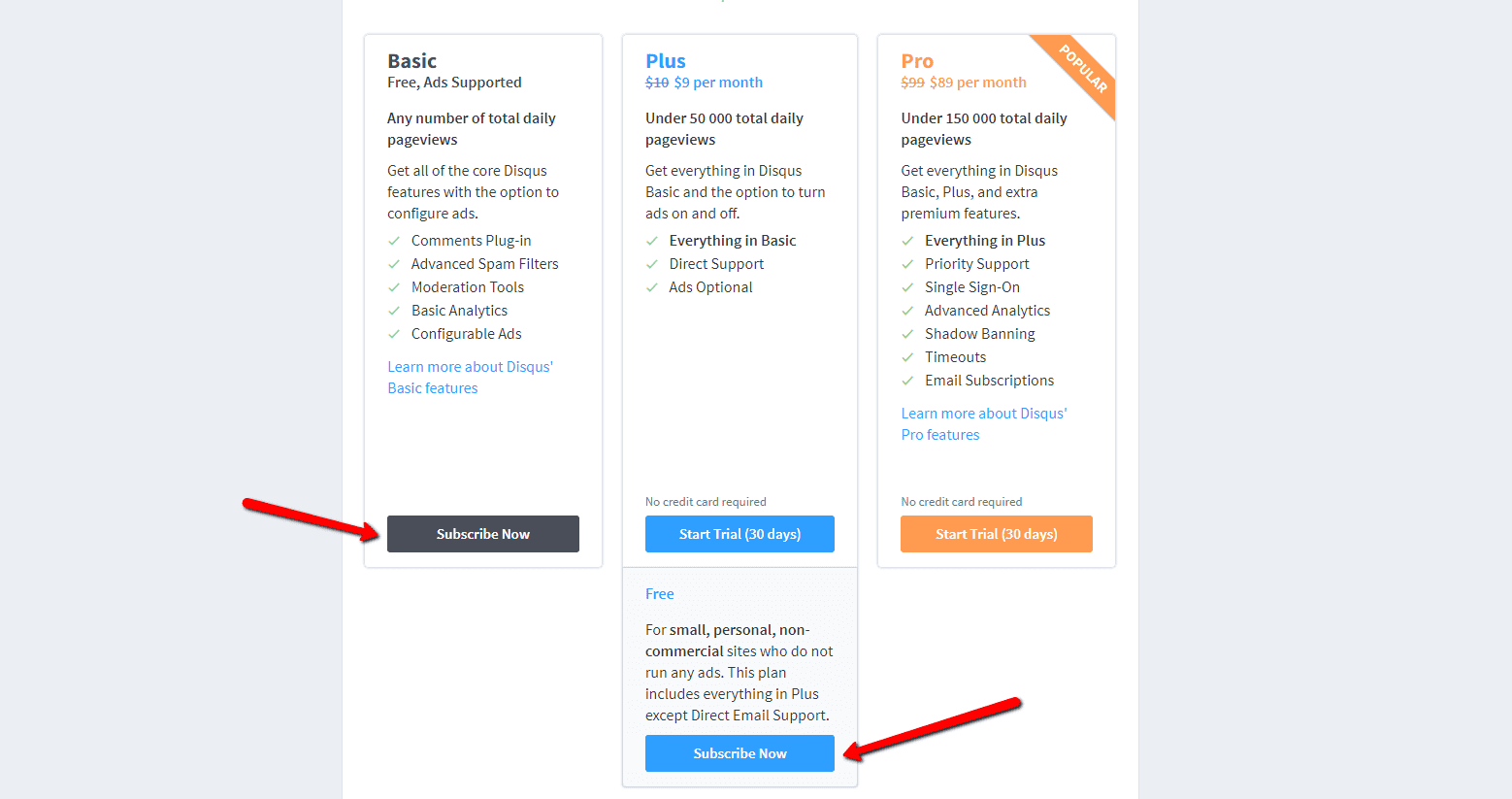

6. Wählen Sie die Webinstallationsoption
Wählen Sie für die Installation das manuelle Einfügen mit Universalcode (“Universal Code“).
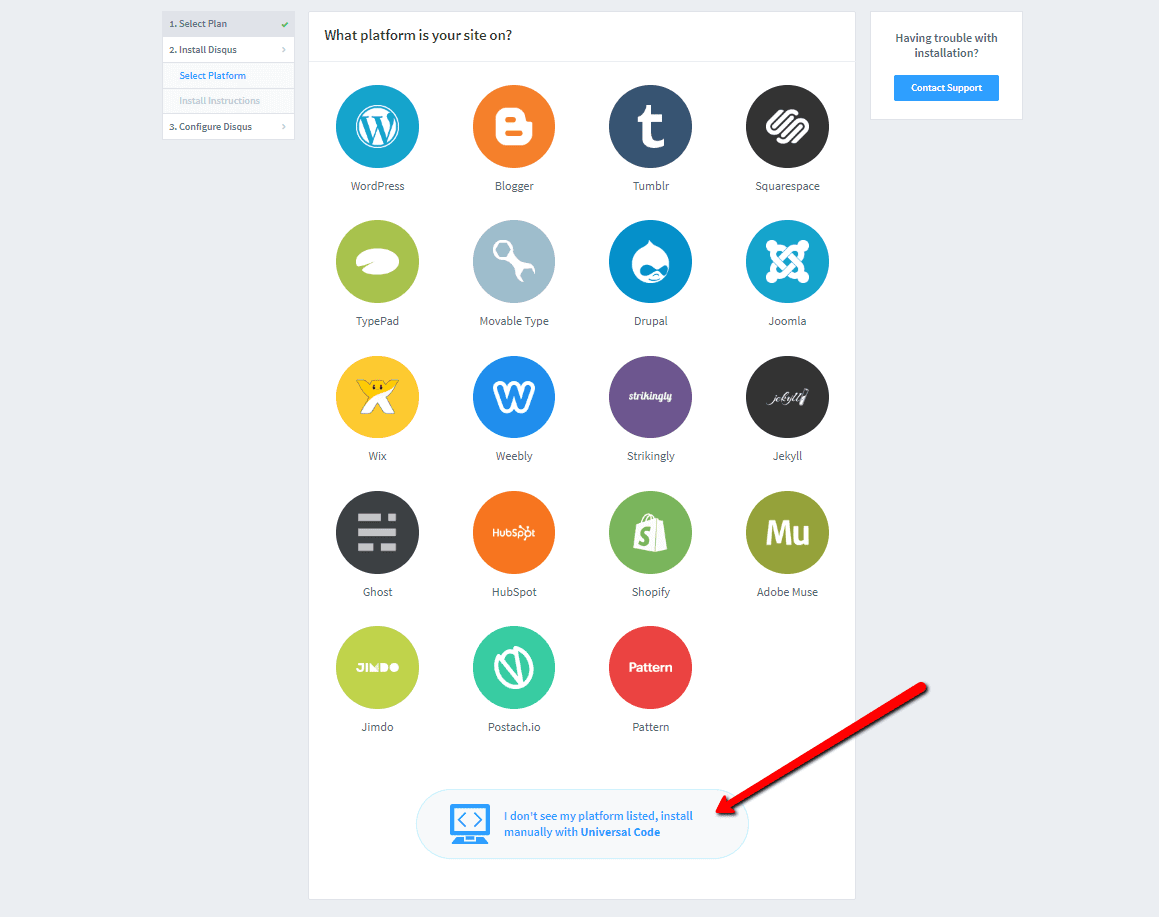

7. Kopieren Sie den Code
Wählen Sie den gesamten HTML-Code in Punkt 1 aus.
Kopieren Sie den Code.
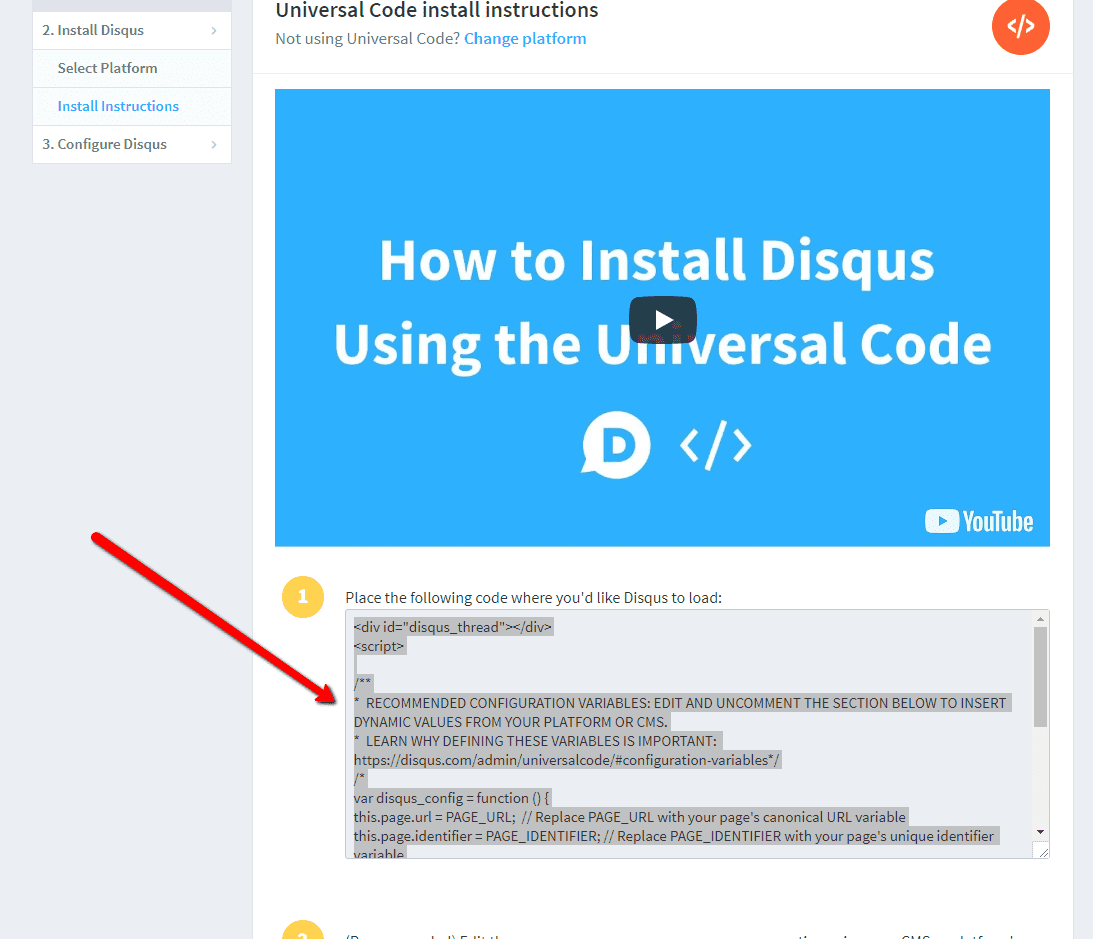

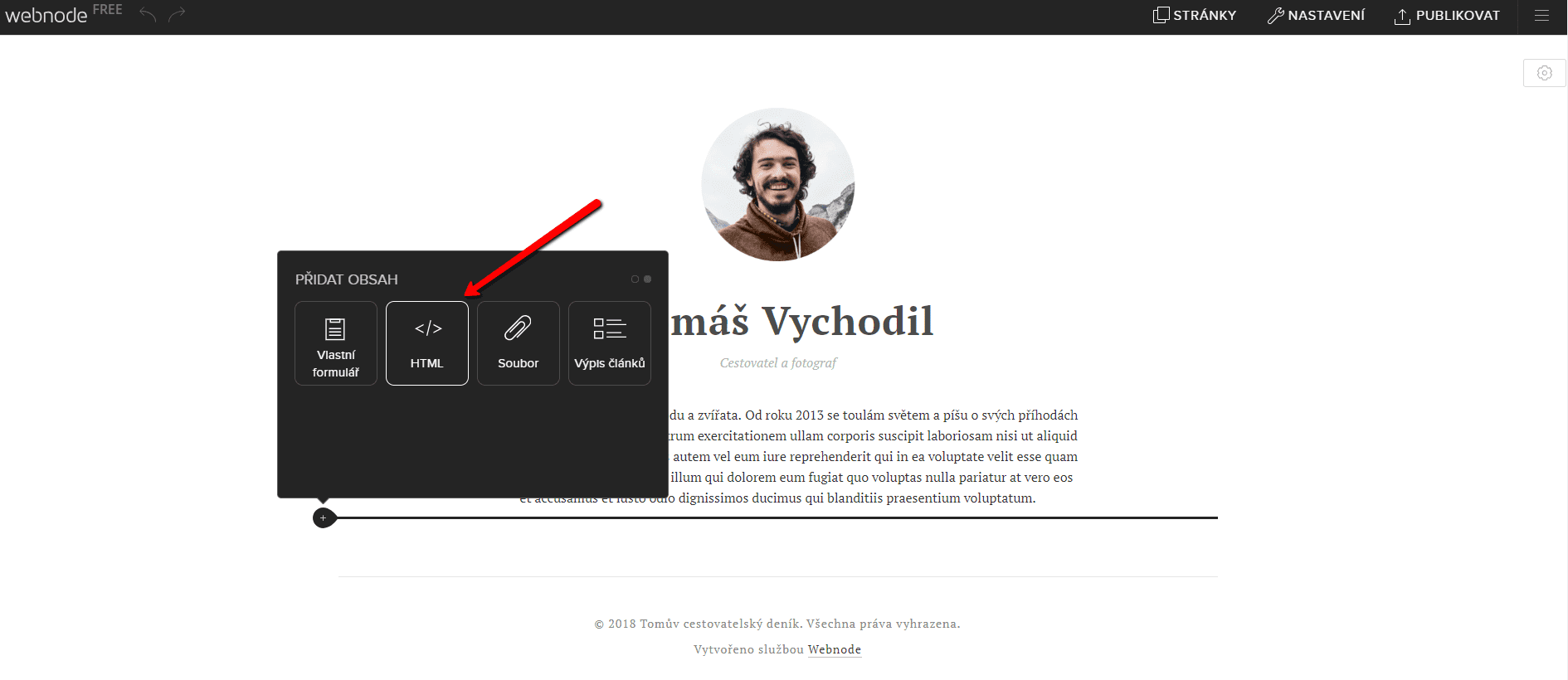
8. Fügen Sie den Code in die Website ein
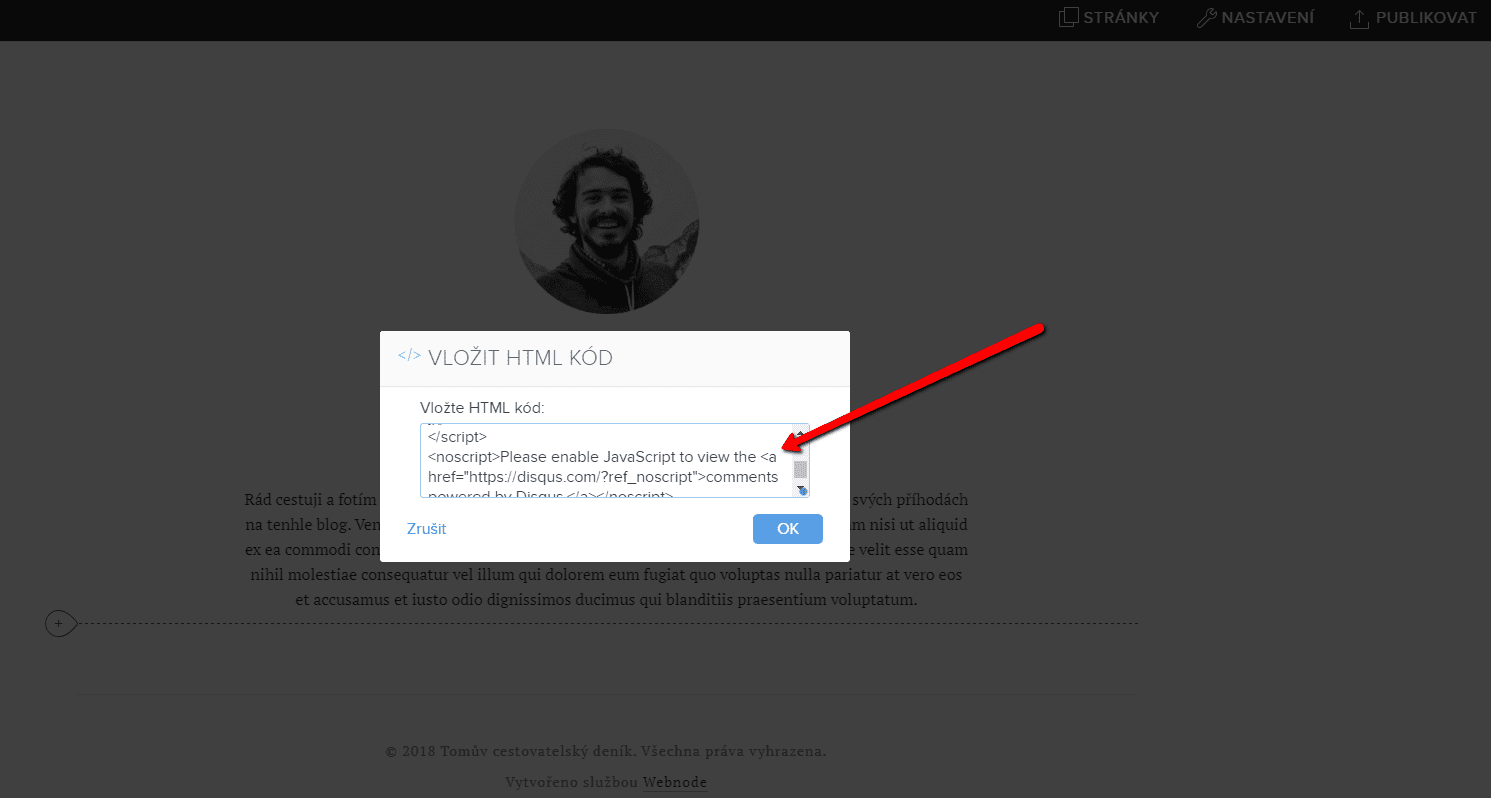
Gehen Sie im Projekt zu der Stelle, an der Sie das Forum einfügen möchten. Wählen Sie „Inhalt hinzufügen“ → HTML.
Fügen Sie den gesamten kopierten HTML-Code ein.
Vergessen Sie nicht die Änderung zu publizieren.


.
Und es ist geschafft. Sie können auf dieser Seite sehen, wie das resultierende Forum im Web aussieht:
Weitere tolle Tutorials


Hogyan adhatsz kattintható linket/hivatkozást e-mailhez és telefonszámhoz a Webnode weboldalban?
E-mail-címre vagy telefonszámra mutató hivatkozást szeretnél hozzáadni a Webnode-dal létrehozott weboldalon? Az e-mailes kommunikáció gyors, egyszerű és a leggyakrabban használt kapcsolattartási módszer közted és ügyfeleid között. A legtöbb...

Hogyan adhatsz hulló konfettit a WEBOLDALADHOZ/WEBÁRUHÁZADHOZ
Hogyan adhatsz hulló konfetti animációt a Webnode weboldaladhoz?Olyan kérdést kaptam az ingyenes Webnode támogatásomban, hogy lehetséges-e hulló konfetti animációt hozzáadni a Webnode weboldalhoz. Igen, lehetséges – mindenkinek, aki „hulló konfettit a weben” keres,...
How to redirect „Continue shopping“ button in cart in Webnode e-shop to OWN URL?
Would you like to set a specific URL in your Webnode e-shop for the "Continue shopping" button in your cart?In the Webnode e-shop editor, the "Continue shopping" button in the cart is predefined to redirect the visitor of your e-shop to the last visited page. Webnode...
How to add a top bar to WEBNODE website (with contact information and social icons)
You can easily add top bar with contact information, social networks icons or a currency switcher (in the e-shop) or a website language switcher (flags).In our Webnode Free News i was talking about 5 new features of the NEW Premium Business Package and 6 best WEBNODE...

12 legnagyobb ingyenes képkészlet kereskedelmi használatra. Képek ingyen.
Ebben az útmutatóban 12 ingyenes fotó szolgáltatás linkjét találod. A képek CC0 tanúsítvánnyal vannak ellátva. ✔ Képek kereskedelmi használatra A Google-ról töltöd le a képeket? Nagy hiba! Amikor saját weboldalt hozol létre, ajánlom ezt a 12 ingyenes forrást,...
Jak si na web ve Webnode přidat horní lištu s kontaktními informacemi a ikonami soc. sítí?
Přidejte si na web horní lištu s kontaktními informacemi, ikonkami soc. sítí, přepínačem měn (v e-shopu) nebo přepínač jazyků (cez vlajky).V novinkách 5 nových funkcí NOVÉHO Prémiového balíčku Business a 6 nejlepších WEBNODE šablon pro tvorbu webu jsme si o našem...
Ako si na web vo Webnode pridať hornú lištu s kontaktnými informáciami a ikonami soc. sietí?
Pridajte si na web hornú lištu s kontaktnými informáciami, ikonkami soc. sietí, prepínačom mien (v e-shope) alebo prepínač jazykov (vlajky).V novinkách 5 nových funkcií NOVÉHO Prémiového balíčku Business a 6 najlepších WEBNODE šablón pre tvorbu webu sme si o našom...
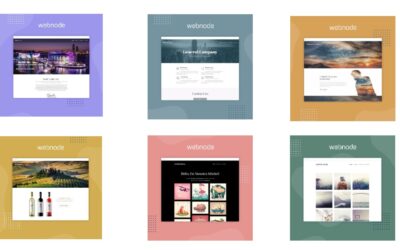
6 most popular Webnode templates in 2022
6 most popular templates for creating a website in the Webnode.com website builderIn our Webnode Free News we have already mentioned a few interesting things about the Webnode editor. Have you read the article about the 5 new features of the NEW Premium Business...
6 nejlepších Webnode šablon pro tvorbu webu v roce 2021
6 nejoblíbenějších šablon pro tvorbu webu v redakčním systému WebnodeV našich Webnode Free Novinkách jsme si už o Webnode editoru řekli pár zajímavostí. Už jste četli článek o 5 nových funkcích NOVÉHO Prémiového balíčku Business? Věděli jste, že redakční systém...

