



YouTube Video Tutorial (english subtitles)

Anweisungen zum Erstellen einer Diskussion auf der Website des Diskussionsforums – disqus.com
In dieser Anleitung erfahren Sie, wie Sie der Webnode-Website eine Diskussion hinzufügen, damit Besucher Ihrer Website Kommentare hinzufügen oder diskutieren können.
Wir werden eine externe Anwendung verwenden – HTML-Code.
1. Registrieren Sie sich
Der erste Schritt ist die Registrierung auf disqus.com.
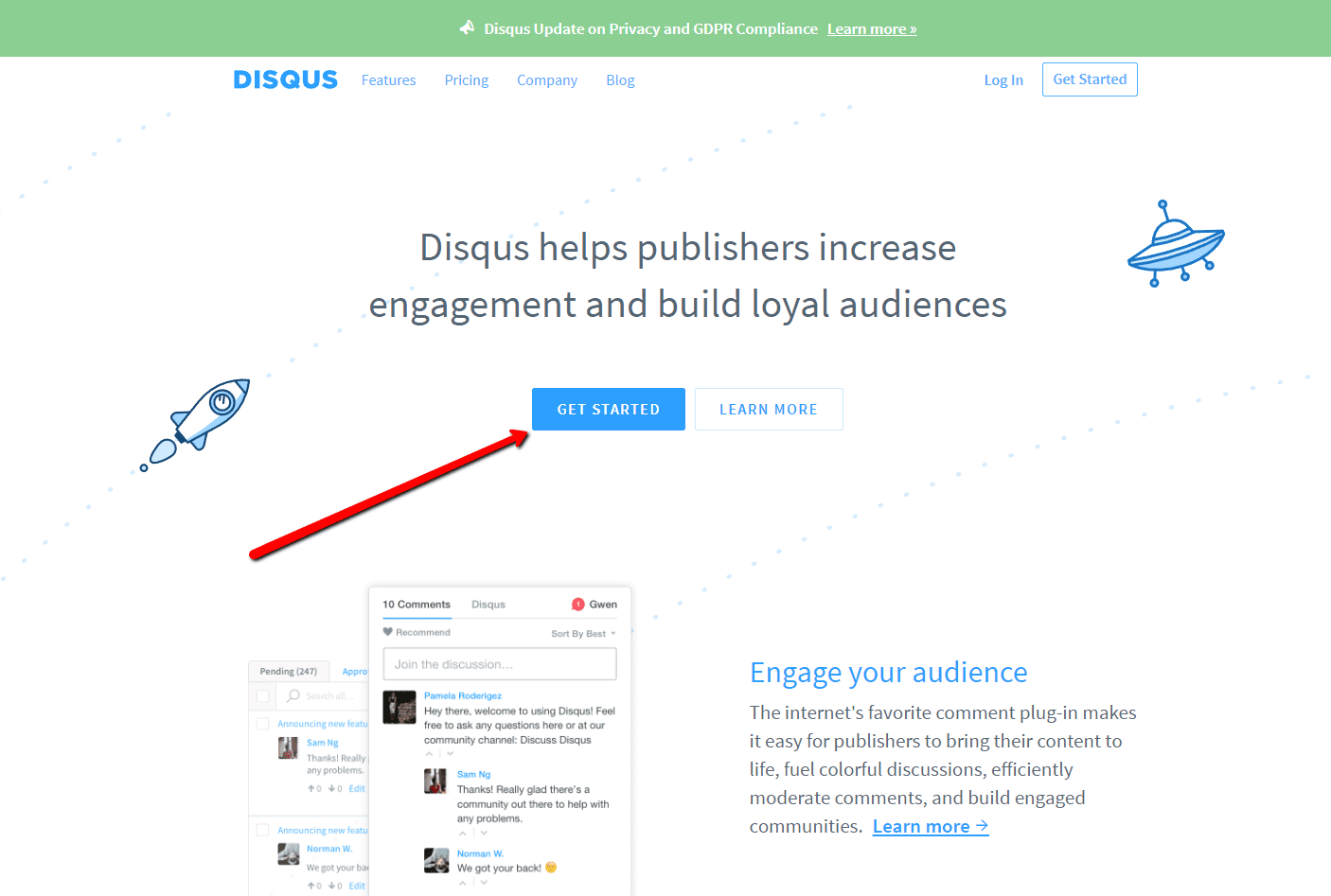

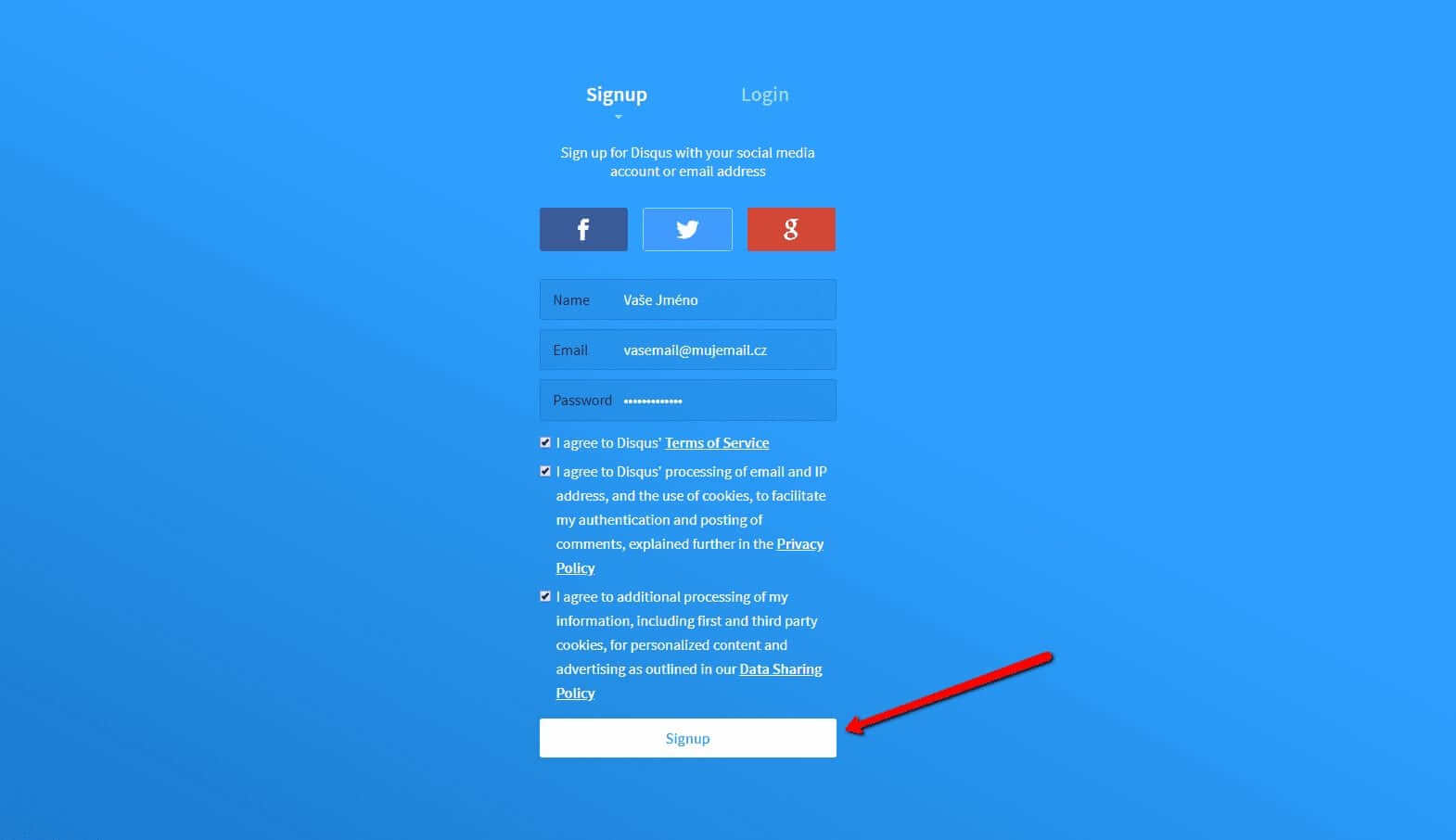
2. Geben Sie die Anmeldedaten ein
Sie können sich mit einem Konto in einem sozialen Netzwerk oder per E-Mail anmelden.

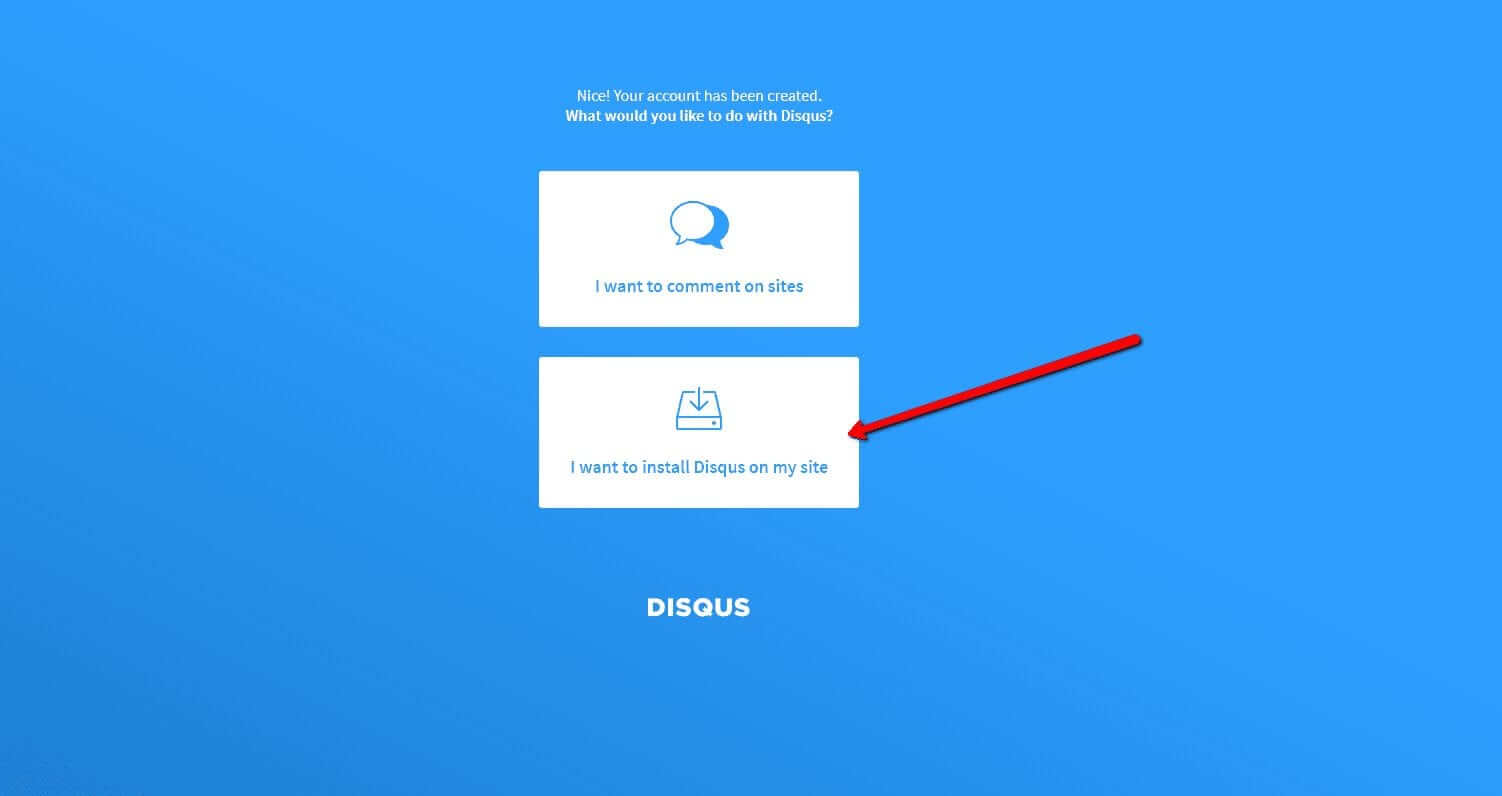
3. Wählen Sie die Option Disqus im Web installieren
Jetzt müssen Sie nur noch den Zweck auswählen, für den Sie Disqus verwenden möchten.
Wählen Sie die zweite Option – “I want to install Disqus on my site“

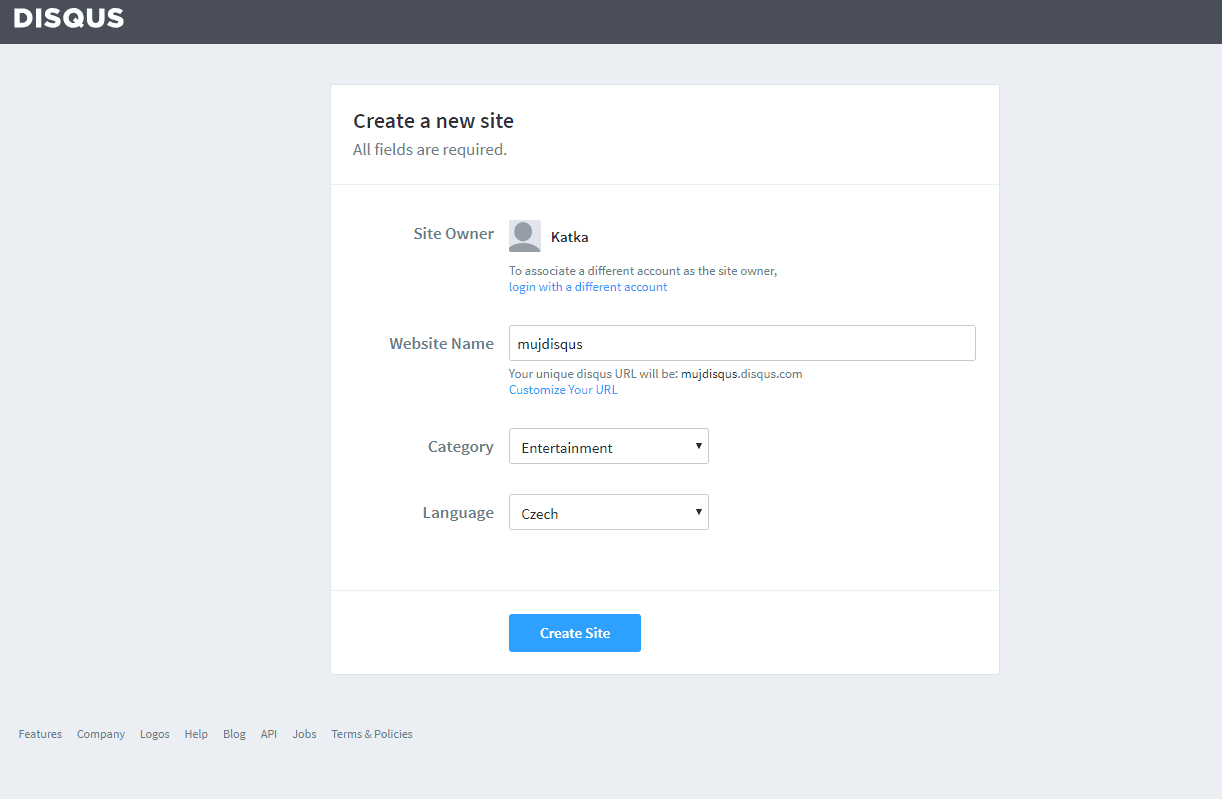
4. Erstellen Sie die Seite
Geben Sie den Seitentitel, die Kategorie und die Sprache ein. Alle Felder sind erforderlich. Bestätigen Sie mit “Create Site“.

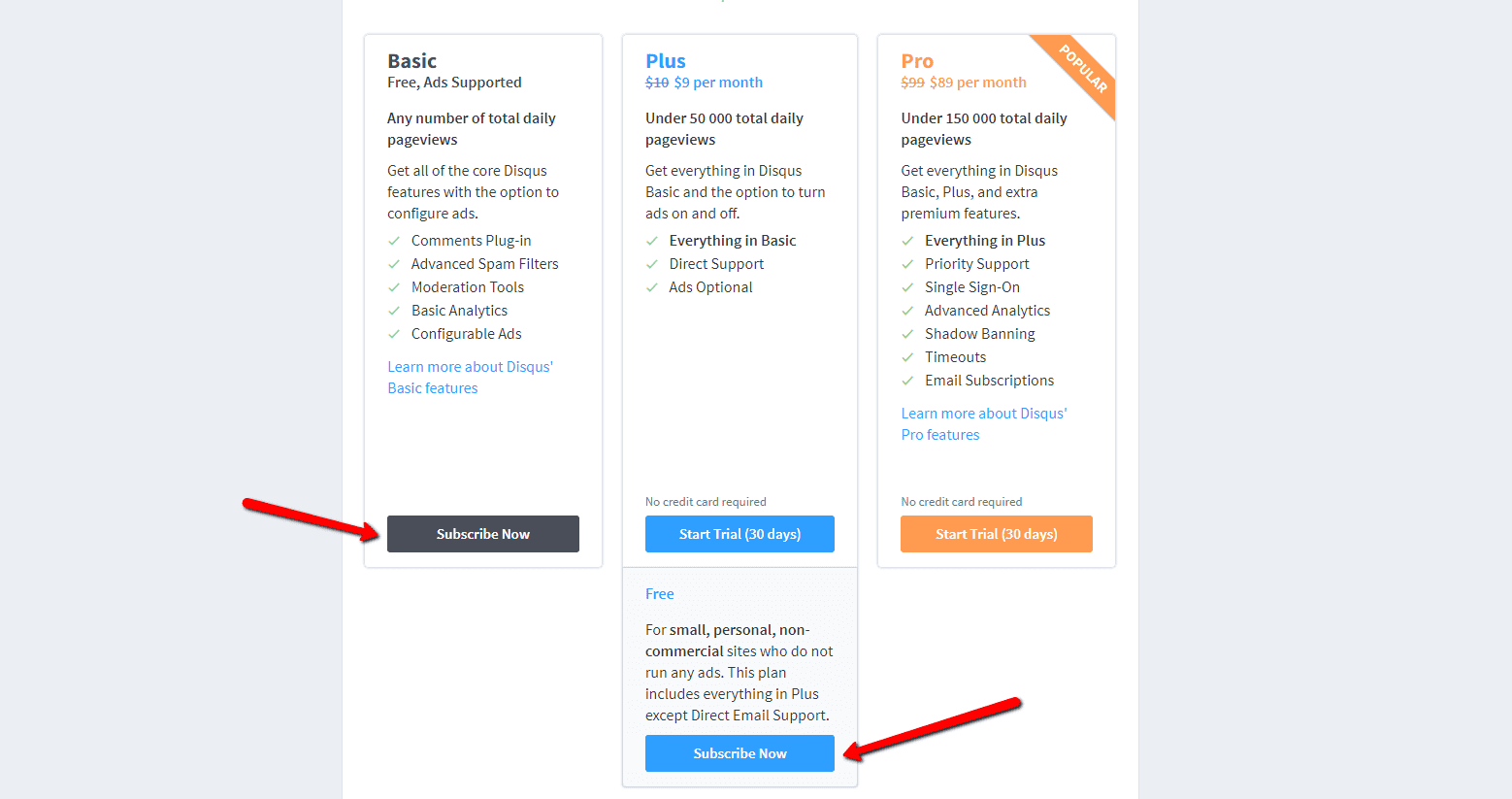
5. Wählen Sie einen Plan
Sie können zwischen kostenlosen Plänen (Basic, Free) und Premium-Plänen (Plus, Pro) wählen. Für den normalen Gebrauch sind kostenlose Pläne ausreichend.
Es ist aber Ihre Entscheidung.

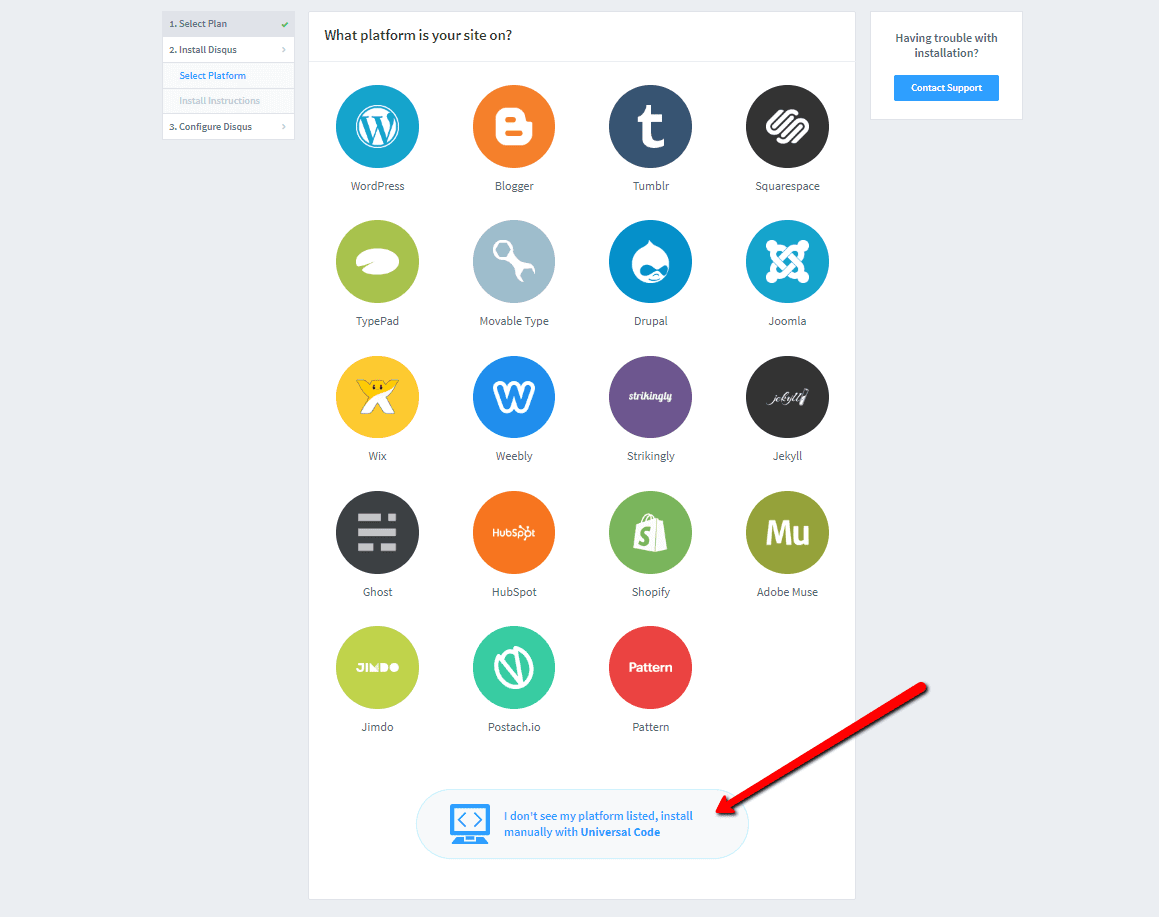
6. Wählen Sie die Webinstallationsoption
Wählen Sie für die Installation das manuelle Einfügen mit Universalcode (“Universal Code“).

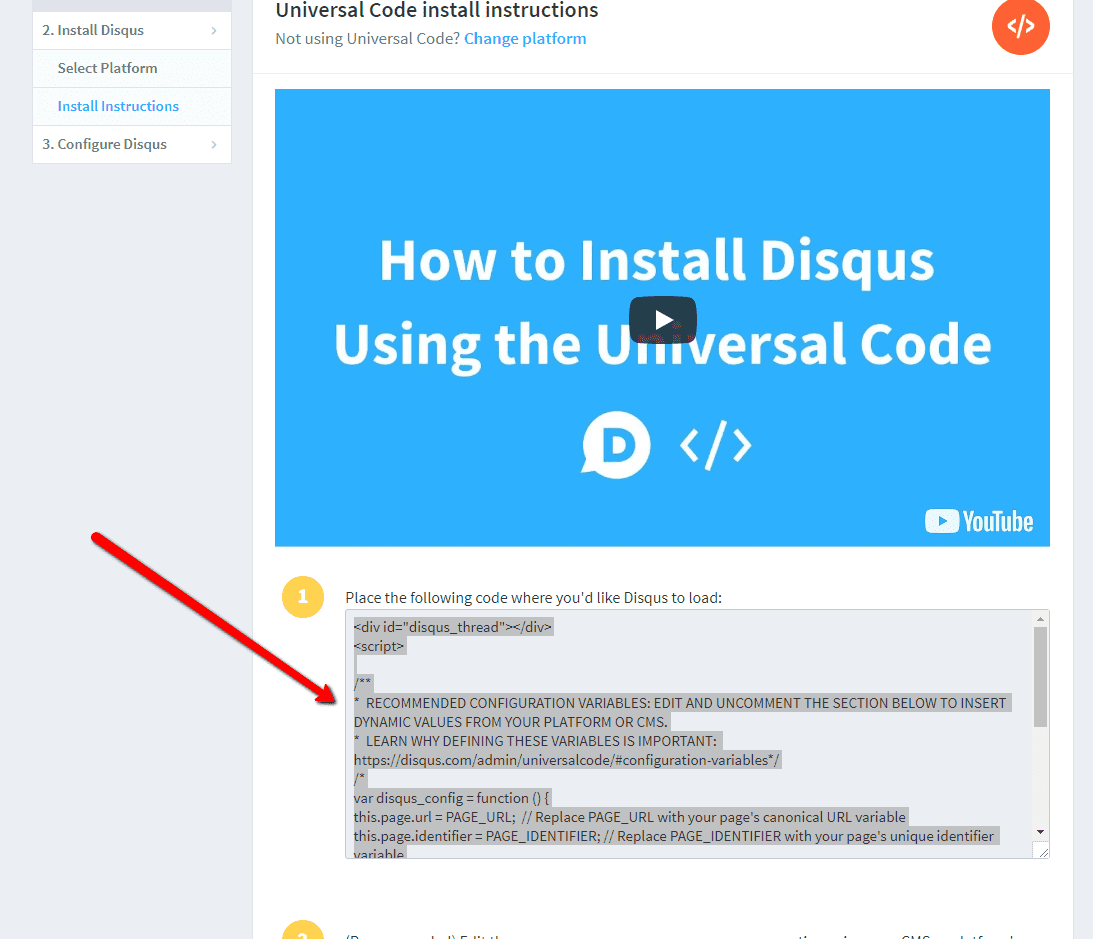
7. Kopieren Sie den Code
Wählen Sie den gesamten HTML-Code in Punkt 1 aus.
Kopieren Sie den Code.

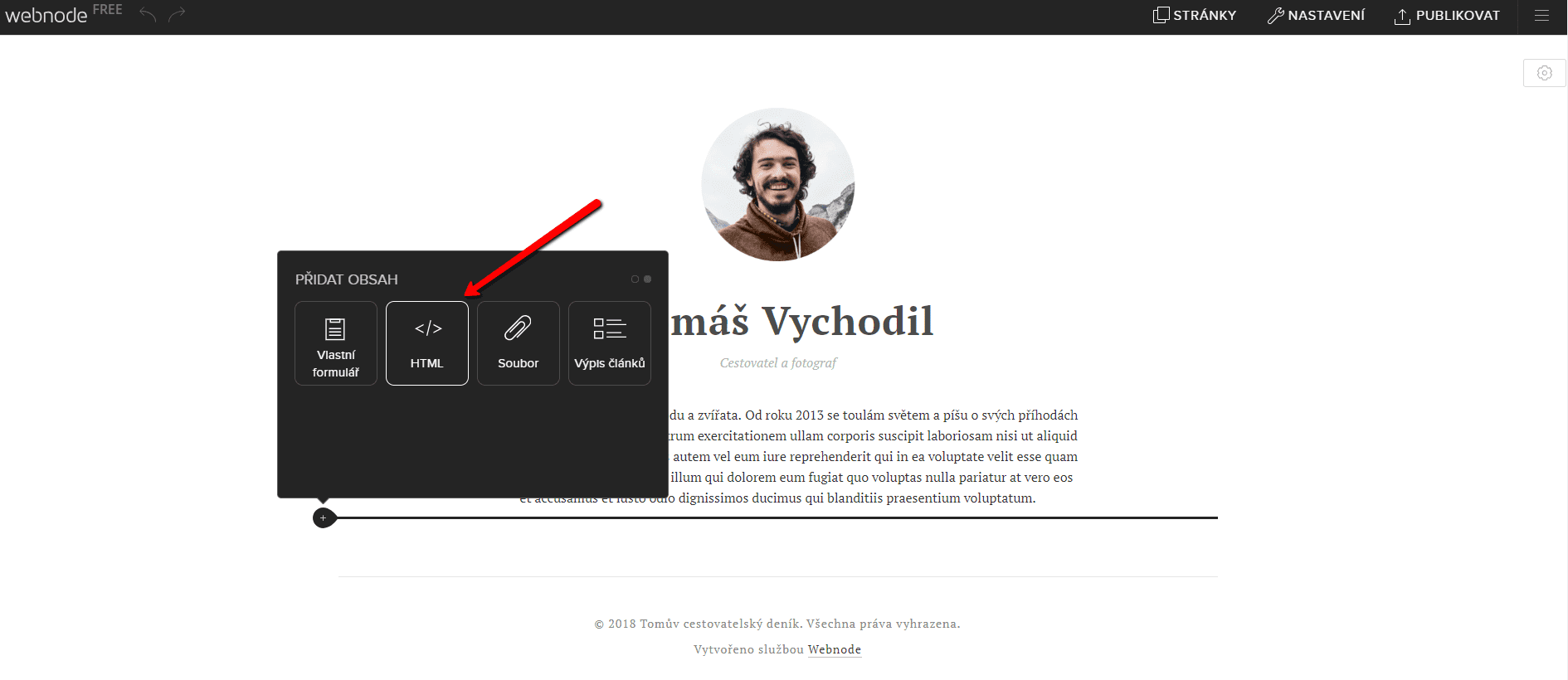
8. Fügen Sie den Code in die Website ein
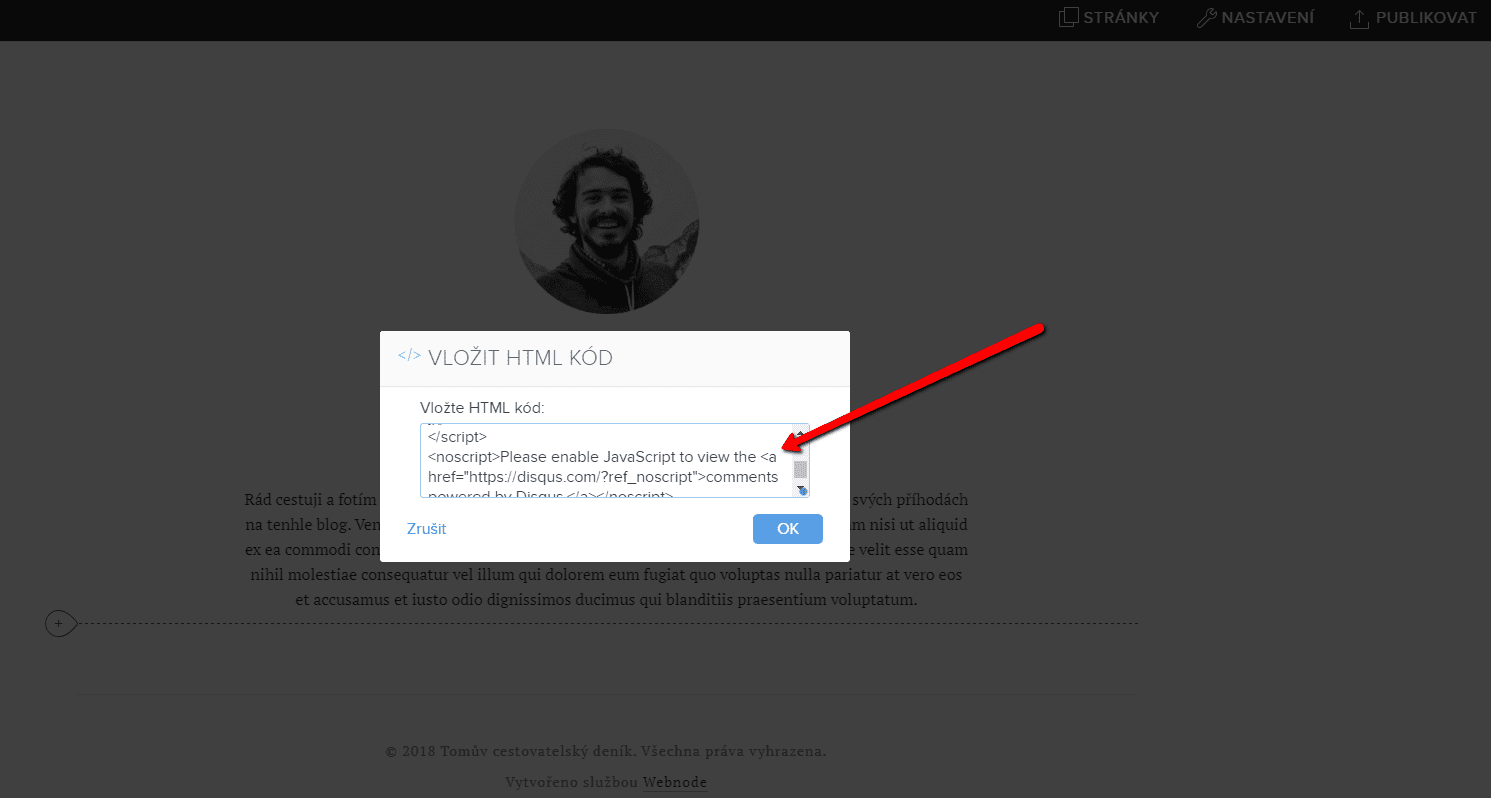
Gehen Sie im Projekt zu der Stelle, an der Sie das Forum einfügen möchten. Wählen Sie „Inhalt hinzufügen“ → HTML.
Fügen Sie den gesamten kopierten HTML-Code ein.
Vergessen Sie nicht die Änderung zu publizieren.


.
Und es ist geschafft. Sie können auf dieser Seite sehen, wie das resultierende Forum im Web aussieht:
Weitere tolle Tutorials


Ako vytvoriť jednoduchý vizitkový web?
Ako vytvoriť jednoduchý vizitkový web? (scroll-ovací web)Čo je to vizitkový web? Vizitkový web je jednoduchý web, ktorý stručne a jasne predstavuje Vaše služby, či produkty. Je to jednoduchá webová stránka, ktorá slúži pre získanie základných informácií o Vašej firme....

How to add hyperlinks into footer in Webnode?
Would you like to add your own footer to the web / e-shop in Webnode?Would you like to add a redirect to the website or e-shop in Webnode or link to your terms and conditions & GDPR to the footer? With my simple tutorial, you will definitely be able to do it. Just...

How to hide the category „all products“ in the list of products in the e-shop from Webnode?
How to hide the "All Products" category in the product listing on the Webnode?In the tutorial How to hide the cart in the eshop in Webnode? and How to hide the article publication date in Webnode? we have shown how easy it is to "hide" something in Webnode....

Jak si vytvořit vlastní patičku ve Webnode?
Chtěli byste na web / e-shop přidat vlastní patičku (footer) ve Webnode?Chtěli byste si na webové stránky, či e-shop ve Webnode přidat přesměrování resp. odkaz na Vaše obchodní podmínky & GDPR do patičky? S mým jednoduchým návodem to určitě zvládnete. Stačí se...

Ako si vytvoriť vlastnú pätičku vo Webnode?
Chceli by ste na web/e-shop pridať vlastnú pätičku (footer) vo Webnode?Chceli by ste si na webové stránky, či e-shop vo Webnode pridať presmerovanie resp. odkaz na Vaše obchodné podmienky&GDPR do pätičky? S mojim jednoduchým návodom to určite zvládnete. Stačí sa...

Jak skrýt kategorii „všechny produkty“ ve výpisu produktů v e-shopu od Webnode?
Jak na webu ve Webnode skrýt kategorii "Všechny produkty" ve výpisu produtků?V návodu Jak ve Webnode skrýt košík v eshopu? a Jak ve Webnode skrýt datum zveřejnění článku? jsme si ukázali jak jednoduše je možné ve Webnode něco "skrýt". V tomto článku se dozvíte, jak...

Kuinka lisään sivulle Google Custom Search hakukenttä
Kuinka lisään sivulle Google Custom Search hakukenttä Haluatko ilmaisen web-hakukoneen? Lisää kotisivuillesi Google – Custom Search Engine hakukenttä Seuraa nämä vaiheet: Tarkista, että kotisivusi on vahvistettu Ennen kun aloitat hakukentän luontia,...

Kuinkan vaihdan tekstin taustan kopioitaessa?
Etsitkö tapaa, kuinka voit kotisivuilla vaihtaa tekstin taustan kopioitaessa? Tämä väri on oletuksena sininen. Tässä oppaassa näytetään, kuinka pystyt helposti vaihtamaan värin ja näin parantaa kotisivusi ulkonäön. #Aloitetaan 1. Kirjaudu sisään...

How to hide (remove) publish date in Webnode blog posts?
How to hide the publication date of posts in Webnode?In the tutorial How to hide the cart in the eshop in Webnode? i have shown u - how easy it is to "hide" something in Webnode. Learn how to easily remove a date from an article on your blog in Webnode in this quick...

