



YouTube Video Tutorial (english subtitles)

Anweisungen zum Erstellen einer Diskussion auf der Website des Diskussionsforums – disqus.com
In dieser Anleitung erfahren Sie, wie Sie der Webnode-Website eine Diskussion hinzufügen, damit Besucher Ihrer Website Kommentare hinzufügen oder diskutieren können.
Wir werden eine externe Anwendung verwenden – HTML-Code.
1. Registrieren Sie sich
Der erste Schritt ist die Registrierung auf disqus.com.


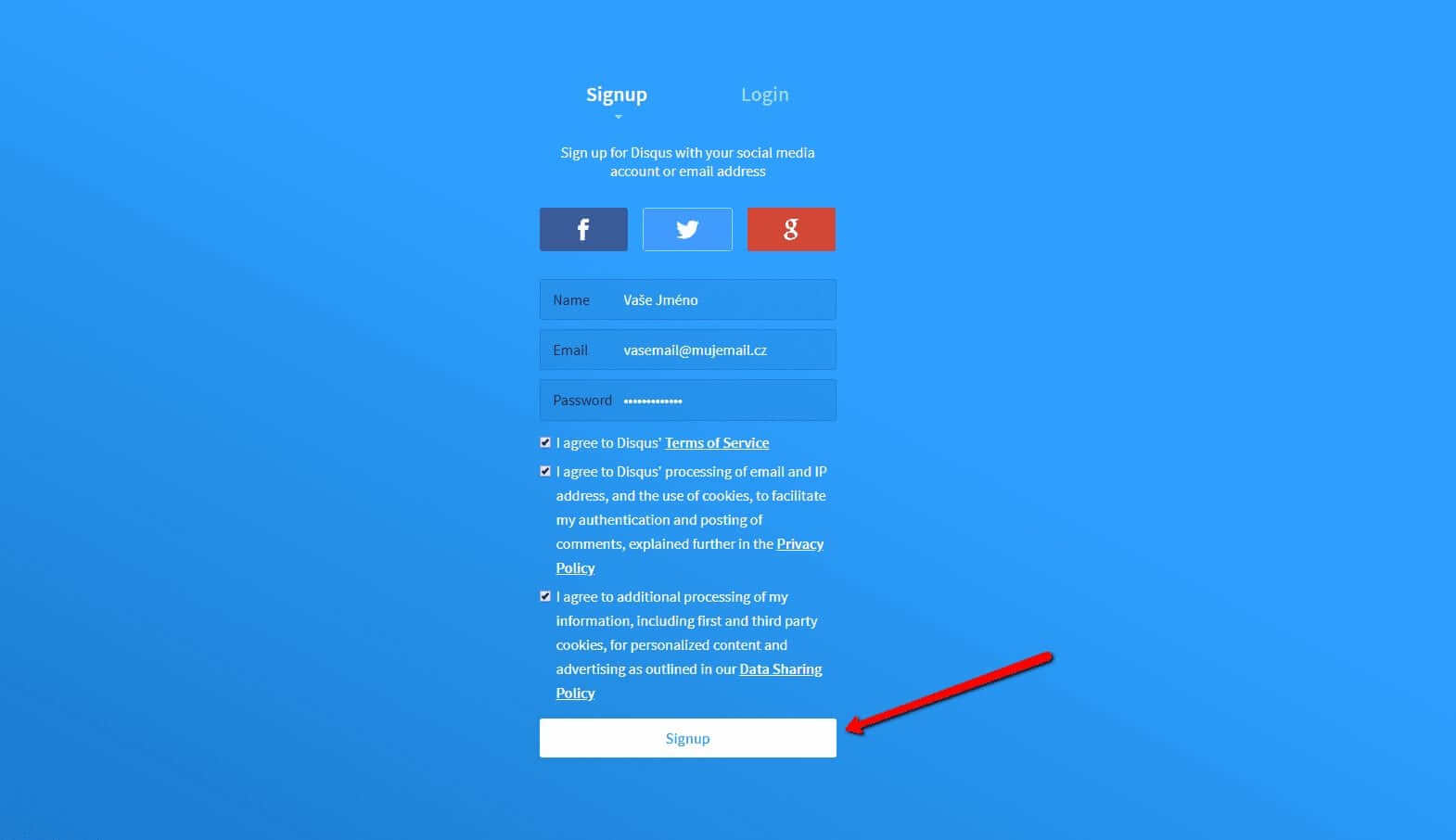
2. Geben Sie die Anmeldedaten ein
Sie können sich mit einem Konto in einem sozialen Netzwerk oder per E-Mail anmelden.

3. Wählen Sie die Option Disqus im Web installieren
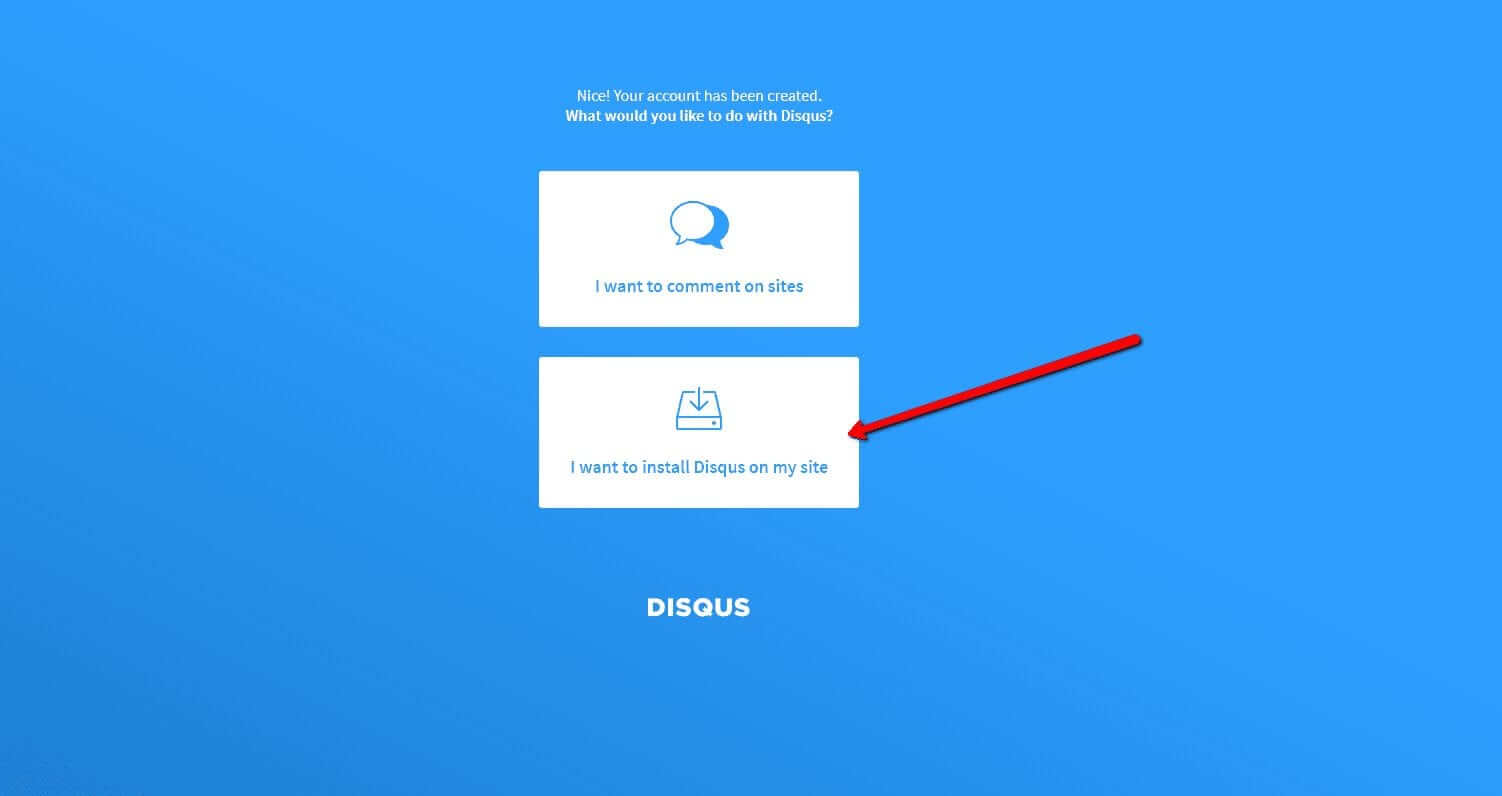
Jetzt müssen Sie nur noch den Zweck auswählen, für den Sie Disqus verwenden möchten.
Wählen Sie die zweite Option – “I want to install Disqus on my site“

4. Erstellen Sie die Seite
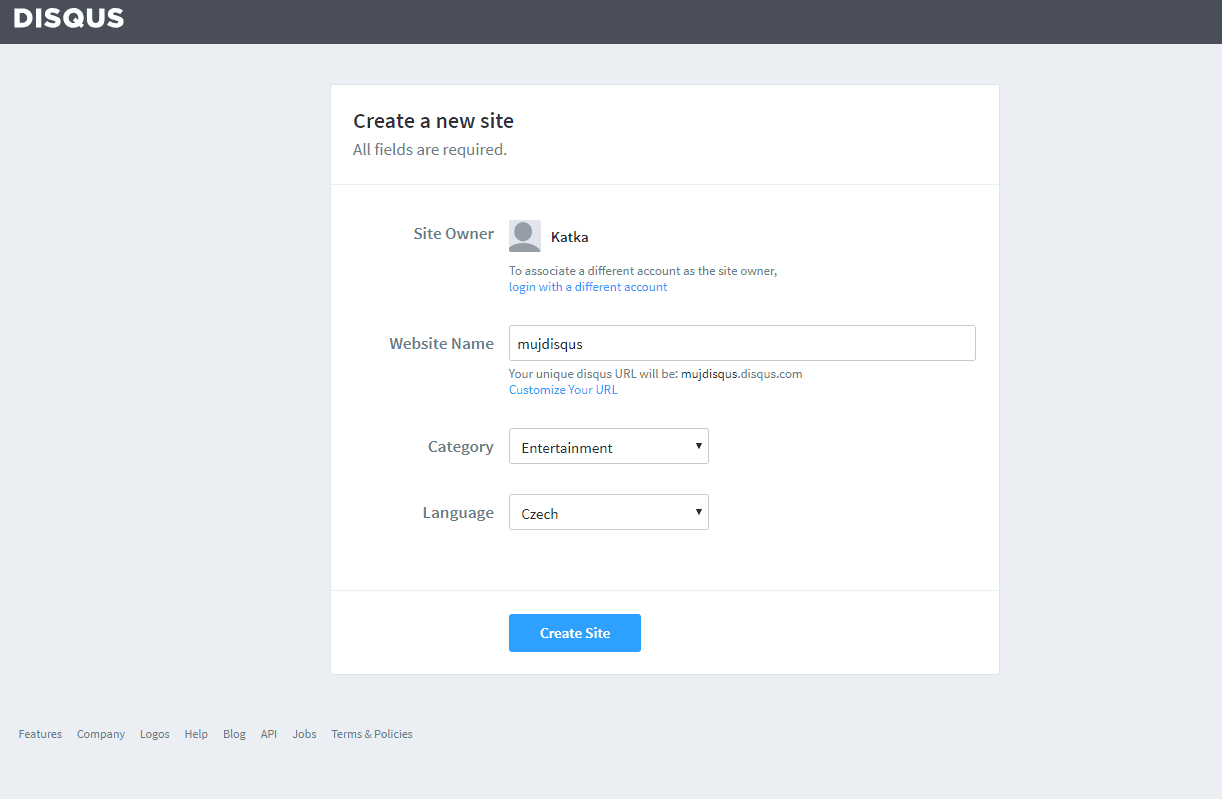
Geben Sie den Seitentitel, die Kategorie und die Sprache ein. Alle Felder sind erforderlich. Bestätigen Sie mit “Create Site“.

5. Wählen Sie einen Plan
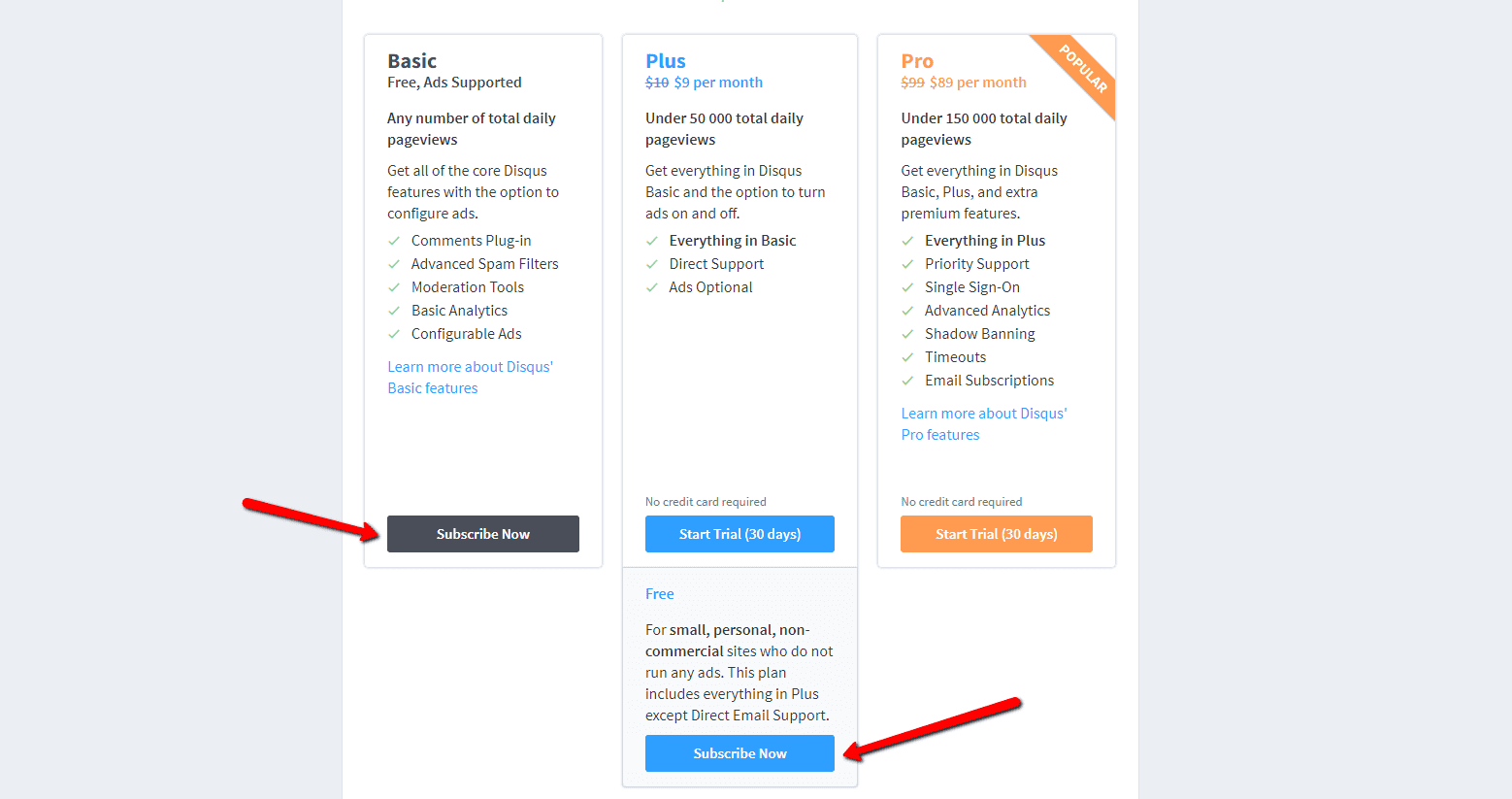
Sie können zwischen kostenlosen Plänen (Basic, Free) und Premium-Plänen (Plus, Pro) wählen. Für den normalen Gebrauch sind kostenlose Pläne ausreichend.
Es ist aber Ihre Entscheidung.

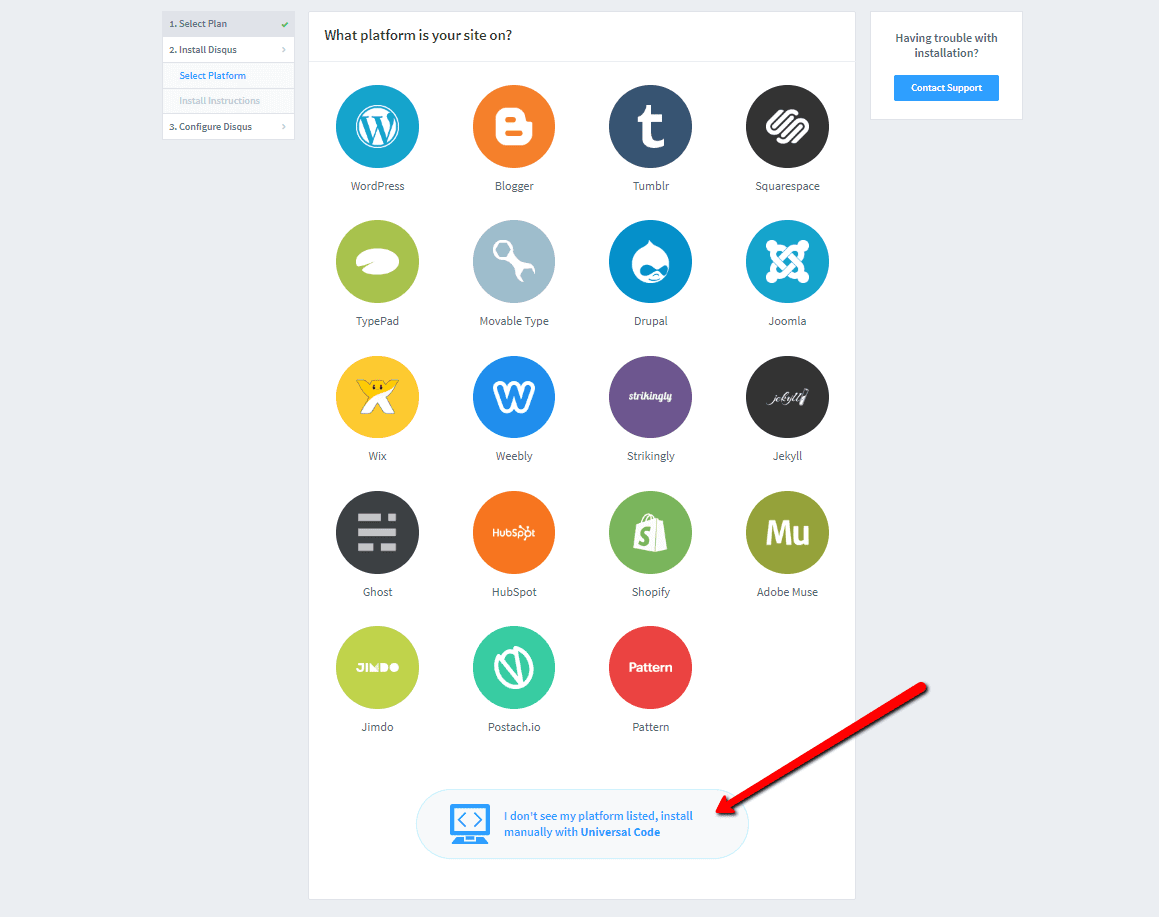
6. Wählen Sie die Webinstallationsoption
Wählen Sie für die Installation das manuelle Einfügen mit Universalcode (“Universal Code“).

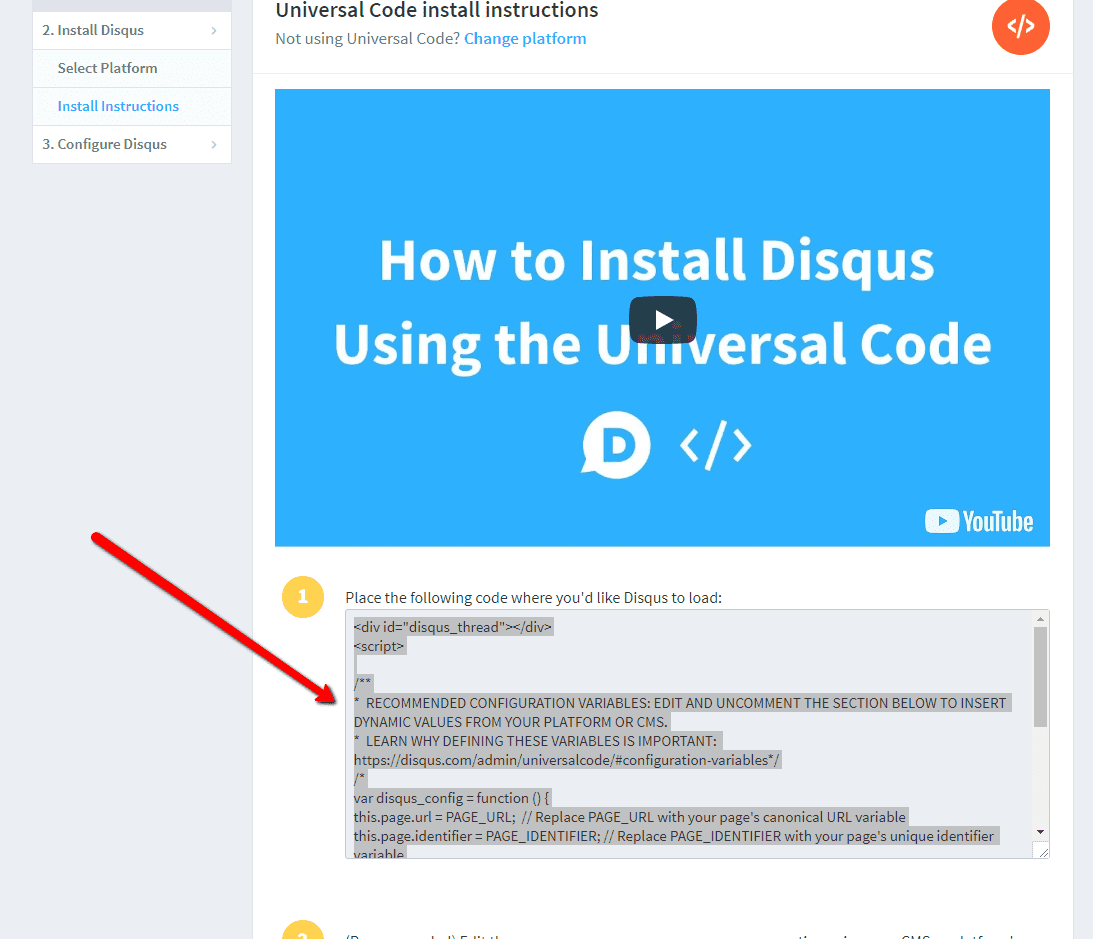
7. Kopieren Sie den Code
Wählen Sie den gesamten HTML-Code in Punkt 1 aus.
Kopieren Sie den Code.

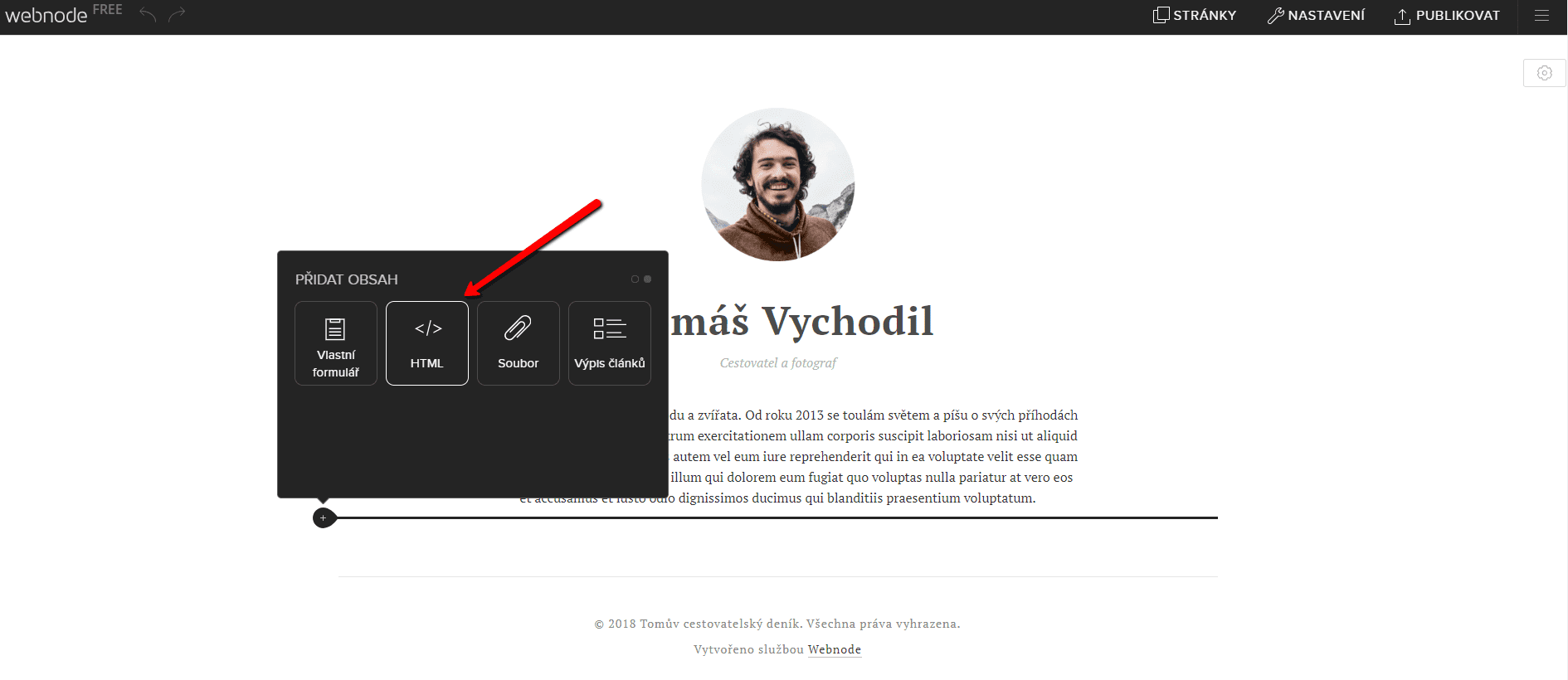
8. Fügen Sie den Code in die Website ein
Gehen Sie im Projekt zu der Stelle, an der Sie das Forum einfügen möchten. Wählen Sie „Inhalt hinzufügen“ → HTML.
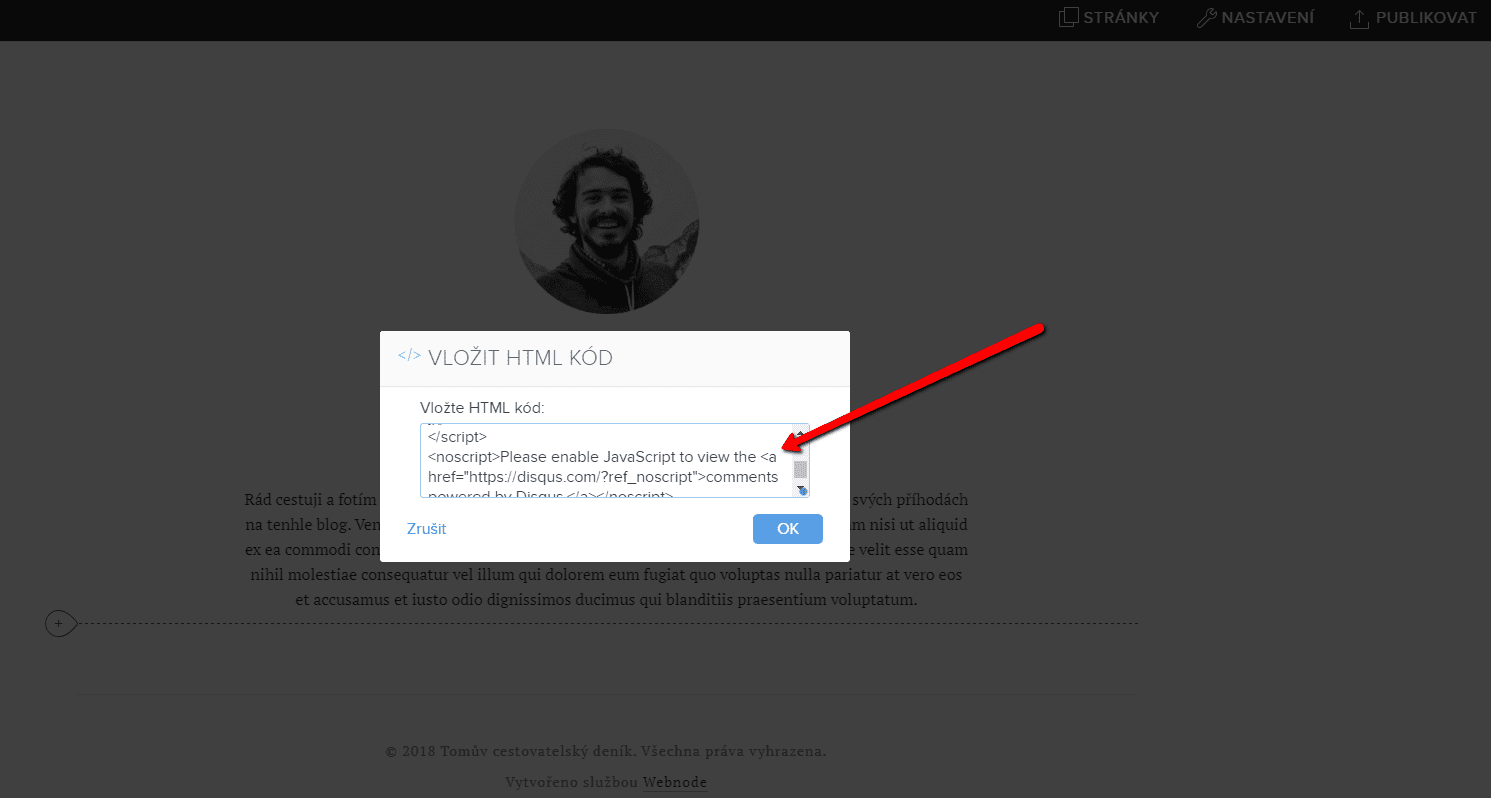
Fügen Sie den gesamten kopierten HTML-Code ein.
Vergessen Sie nicht die Änderung zu publizieren.


.
Und es ist geschafft. Sie können auf dieser Seite sehen, wie das resultierende Forum im Web aussieht:
Weitere tolle Tutorials


How to easily add a website to the Google My Business?
Instruction for registration in the catalog of companies My Business - Google. *Service is for FREE. Let's now take a look at the largest catalog of companies in the world - Google My Business. Registering in My Business is an excellent way to show your business on...

How to download an invoice in Webnode?
Are u looking for your invoice for paid services at Webnode? In this tutorial I will show you exactly where you will find your invoice in Webnode. You can download the invoice directly in your project's administration. (cms) Important note: Only the site owner (the...

How to easily edit the content of 404 page in Webnode?
Looking for a way to edit page 404 (page not found) in Webnode? In this tutorial, you will learn how to edit the 404 Webnode page. Page 404 is important if a link to your site no longer exists. Page 404 will always appear whenever a visitor visits a non-existent page...

How to add a social network icons (FB and Instagram) to the top of the Webnode website?
You are looking for a way to insert the social icons at the Webnode website? (to the top of the site) In tutorials How do I easily link my Facebook to my website in Webnode? and How to link your Instagram with website in Webnode? I've shown how you can link...

How to add a conversion code in Webnode?
Looking for a way to embed a conversion code for Webnode from Adwords, etc. ? What is that conversion? Simply: Conversion is something you want a visitor to do on your site (filling in a form, purchasing a product in an e-shop, etc.) Conversion is the...

How To Create A Professional Email Signature? Simply and FREE
Looking for a easy way to create an email signature? (Gmail, Webmail, Outlook, etc.) Email signature is an inevitable part of modern communication between the customer and the entrepreneur. Business email will increase credibility in the eyes of your potential...

How to add a Webnode website to Google Search?
Add a Webnode website to Google Search Engine We're all familiar with Google search engine, and it's not necessary to introduce it in any way. Search engines roam web pages regularly, and when they find a new site, they automatically add it to their search results. If...

How to create anchor links in Webnode? Click&Scroll
Videotutorial with ENG subtitles The anchor works as a link within a single page. You do not see a different page (web) through the link, but you will be taken to another place on the page you are currently viewing. Anchor formation (tabs) is divided into two...

How to add link to an email and phone number in Webnode?
Do you need to add a link to an email or phone number on the site created with Webnode? Email communication is a fast, simple and most commonly used link between you and your customers. For most potential customers, however, the main task is time, which can lead to...

