



Möchten Sie in Ihre Website Online-Chat einbinden, um schneller mit Ihren Kunden kommunizieren zu können?
In dieser Anleitung zeigen wir Ihnen, wie Sie den HTML-Code eines Online-Chats einfach und gratis auf Ihrer Website einfügen können.
1. Der erste Schritt ist die Registrierung auf der Website: https://www.smartsupp.com/de
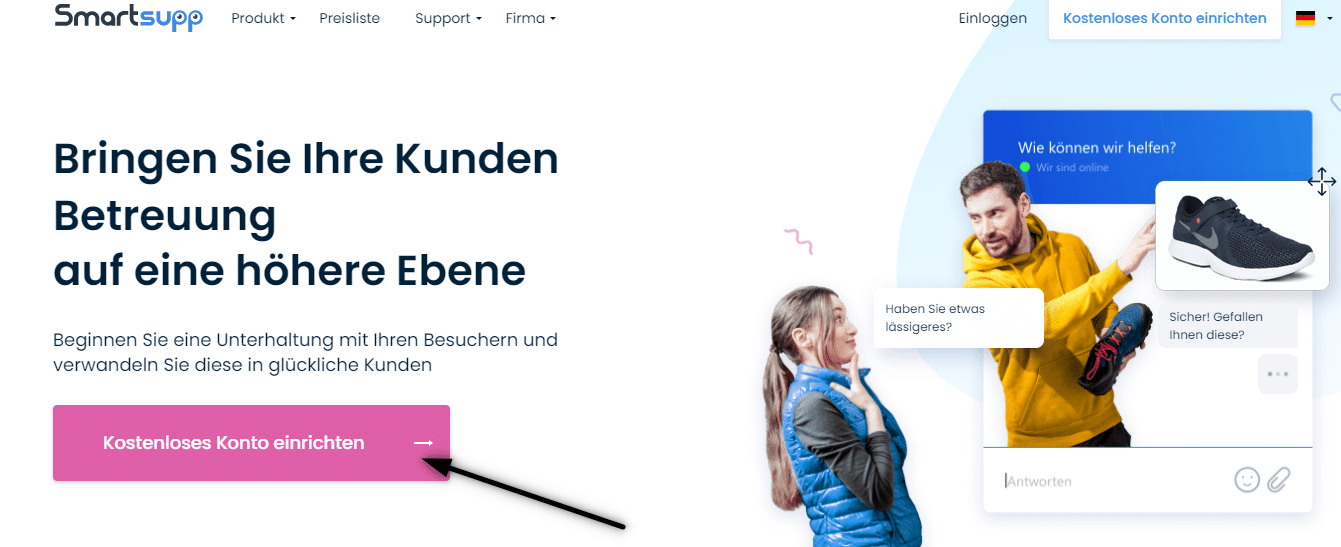

2. Um die Registrierung abzuschließen, überprüfen Sie Ihre E-Mail-Adresse und melden Sie sich an.
3. Klicken Sie dann auf diesen Link, der Sie zum Erstellen des HTML-Codes des Online-Chats weiterleitet: https://www.smartsupp.com/app/settings/chatbox/chat-code
4. Kopieren Sie den HTML-Code des Online-Chats
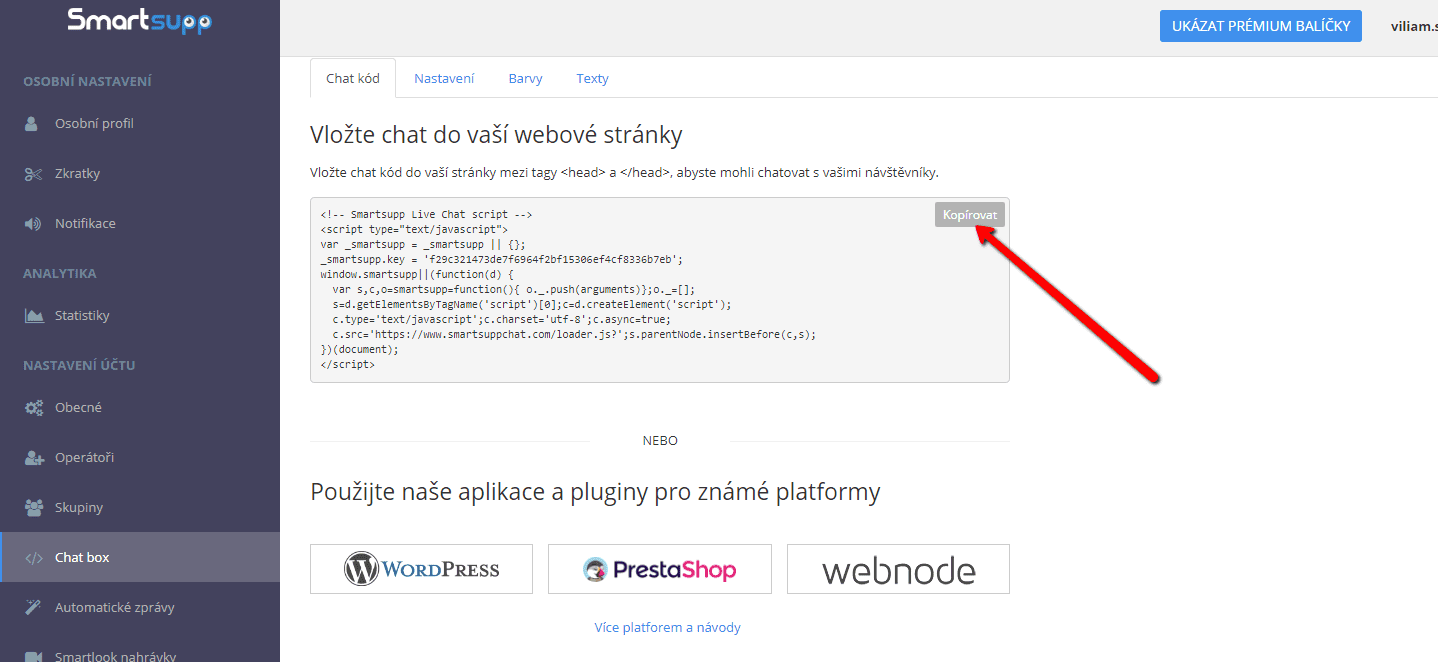

5. Fügen Sie den HTML-Code des Online-Chats in die Kopfzeile (<head> </head>) Ihrer Website ein.
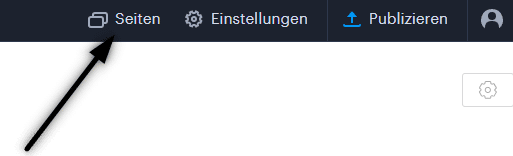
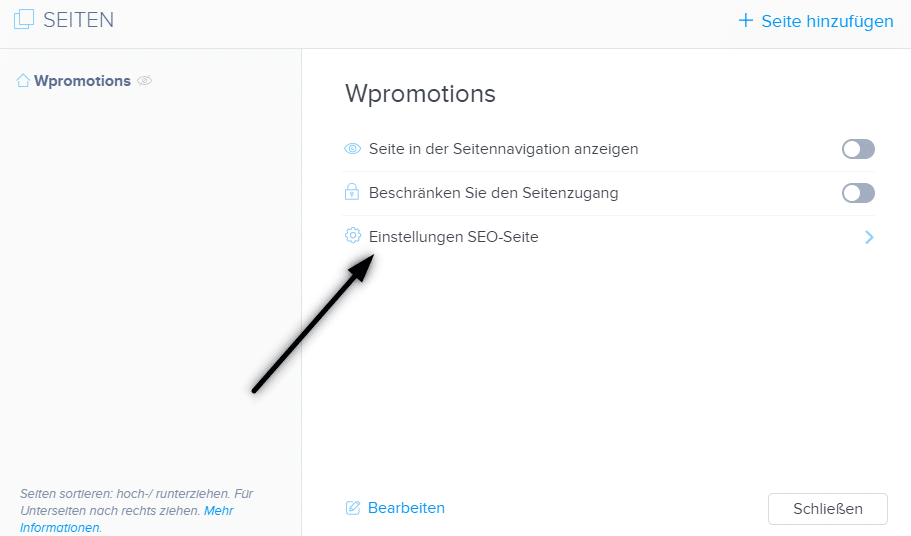
Klicken Sie in der oberen Leiste des Editors auf „Seiten“ – Seite auswählen – „Einstelungen SEO-Seite“ – „HTML Code der Kopfzeile„
.
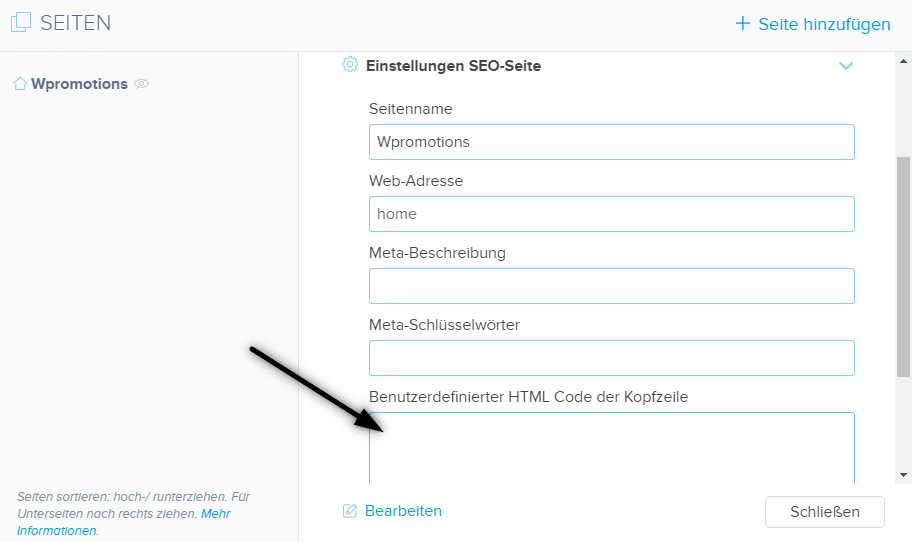
6. Veröffentlichen Sie Ihre Änderungen und Sie sind fertig. Ihr Online-Chat ist eingefügt und wird unten auf der Website angezeigt.

Weitere tolle Tutorials


Hogyan adhatsz kattintható linket/hivatkozást e-mailhez és telefonszámhoz a Webnode weboldalban?
E-mail-címre vagy telefonszámra mutató hivatkozást szeretnél hozzáadni a Webnode-dal létrehozott weboldalon? Az e-mailes kommunikáció gyors, egyszerű és a leggyakrabban használt kapcsolattartási módszer közted és ügyfeleid között. A legtöbb...

Hogyan adhatsz hulló konfettit a WEBOLDALADHOZ/WEBÁRUHÁZADHOZ
Hogyan adhatsz hulló konfetti animációt a Webnode weboldaladhoz?Olyan kérdést kaptam az ingyenes Webnode támogatásomban, hogy lehetséges-e hulló konfetti animációt hozzáadni a Webnode weboldalhoz. Igen, lehetséges – mindenkinek, aki „hulló konfettit a weben” keres,...
How to redirect „Continue shopping“ button in cart in Webnode e-shop to OWN URL?
Would you like to set a specific URL in your Webnode e-shop for the "Continue shopping" button in your cart?In the Webnode e-shop editor, the "Continue shopping" button in the cart is predefined to redirect the visitor of your e-shop to the last visited page. Webnode...
How to add a top bar to WEBNODE website (with contact information and social icons)
You can easily add top bar with contact information, social networks icons or a currency switcher (in the e-shop) or a website language switcher (flags).In our Webnode Free News i was talking about 5 new features of the NEW Premium Business Package and 6 best WEBNODE...

12 legnagyobb ingyenes képkészlet kereskedelmi használatra. Képek ingyen.
Ebben az útmutatóban 12 ingyenes fotó szolgáltatás linkjét találod. A képek CC0 tanúsítvánnyal vannak ellátva. ✔ Képek kereskedelmi használatra A Google-ról töltöd le a képeket? Nagy hiba! Amikor saját weboldalt hozol létre, ajánlom ezt a 12 ingyenes forrást,...
Jak si na web ve Webnode přidat horní lištu s kontaktními informacemi a ikonami soc. sítí?
Přidejte si na web horní lištu s kontaktními informacemi, ikonkami soc. sítí, přepínačem měn (v e-shopu) nebo přepínač jazyků (cez vlajky).V novinkách 5 nových funkcí NOVÉHO Prémiového balíčku Business a 6 nejlepších WEBNODE šablon pro tvorbu webu jsme si o našem...
Ako si na web vo Webnode pridať hornú lištu s kontaktnými informáciami a ikonami soc. sietí?
Pridajte si na web hornú lištu s kontaktnými informáciami, ikonkami soc. sietí, prepínačom mien (v e-shope) alebo prepínač jazykov (vlajky).V novinkách 5 nových funkcií NOVÉHO Prémiového balíčku Business a 6 najlepších WEBNODE šablón pre tvorbu webu sme si o našom...
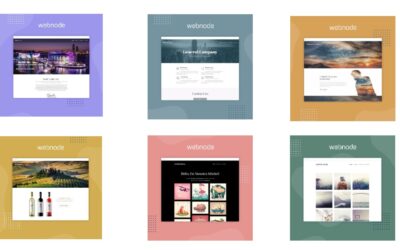
6 most popular Webnode templates in 2022
6 most popular templates for creating a website in the Webnode.com website builderIn our Webnode Free News we have already mentioned a few interesting things about the Webnode editor. Have you read the article about the 5 new features of the NEW Premium Business...
6 nejlepších Webnode šablon pro tvorbu webu v roce 2021
6 nejoblíbenějších šablon pro tvorbu webu v redakčním systému WebnodeV našich Webnode Free Novinkách jsme si už o Webnode editoru řekli pár zajímavostí. Už jste četli článek o 5 nových funkcích NOVÉHO Prémiového balíčku Business? Věděli jste, že redakční systém...

