


Webnode Discount Code 2026: Get an Extra 15% Off Premium Plans
Are you already using Webnode, or are you just thinking about creating your website? We have an up-to-date Webnode discount code that gives you 15% off selected Premium plans.
This limited-time offer is valid until January 31, 2026, making it a perfect opportunity to start the new year with a better, more professional website.
We have been writing about Webnode since 2016, and this is the very first time in history that Webnode has offered such a generous discount (via a Webnode discount code)!
With this code, you get:
- 15% off the Premium plan (new activation or renewal of an existing plan)
- Discount valid from December 10, 2025 to January 31, 2026
- Supported plans: Mini, Standard, Profi, Business
Where the Discount Applies
The discount code can be used for websites registered in the following regions:
- Europe
- North America
- Japan
- Taiwan
How to Use the Webnode Discount Code
- Log in to your Webnode account.
- Select the website where you want to activate the Premium plan.
- Go to the Premium Plans section.
- Choose the Mini, Standard, Profi, or Business plan.
- Enter the discount code TBH3-77XA during checkout and click Activate.
- Confirm your order and the discount will be applied automatically.
Why Webnode Premium Is Worth It
- Custom domain with no Webnode ads
- More storage space for content and images
- Advanced features for business and projects
- A professional-looking website
Discount Summary
Discount: additional -15%
Valid until: January 31, 2026
Plans: Mini, Standard, Profi, Business
Regions: Europe, North America, Japan, Taiwan
Discount code: TBH3-77XA
Take advantage of this limited-time offer and get your Webnode Premium plan at a lower price. Don’t wait — this promotion may not be available again.
More awesome tutorials

¿Cómo configurar tu propia fuente en Webnode usando la biblioteca de Google Fonts?
Videotutorial¿Te gustaría cambiar la fuente en Webnode a una de las fuentes de Google? Unas pocas palabras inicialesWebnode te permite cambiar la fuente en tu sitio web en la sección: "Configuración" - "Diseño" - "Fuentes". Por supuesto, el editor de Webnode...
Hogyan csatlakoztathatod saját domainedet vagy aldomainedet a Webnode-hoz? DNS rekordok beállítása egyszerűen
Módosítani szeretnéd a „webnode” webhely URL-jét a saját domainedre, pl. „domainem.hu” vagy „e-shop. „domainem.hu”? A saját domain használata a egy prémium funkció: A Limited, Mini, Standard, Profi vagy Business csomagok birtokában elérhető. A prémium csomagok...
A Google Térkép hozzáadása a Webnode weboldaladhoz
A Webnode webodlaladon elhelyezett térkép nem működik? Előfordul, hogy amikor beírsz egy címet, a rendszer nem találja meg, íhy a térkép nem tudja megjeleníteni a weboldal közzétett verziójában. Ebben a cikkben két módot is mutatok ezen probléma megoldására....
¿Cómo crear el logo de tu propia empresa? es gratis
¿Quieres crear tu propio logotipo de empresa? Puede crear su propio logotipo nuevo en pocos minutos utilizando el servicio gratuito. Lo recomiendo altamente. Es gratis. 1. Haz clic en este enlace, que te redirigirá al sitio web oficial de este increíble...
Cómo crear un sitio web de tarjeta de visita simple GRATIS
Crea tu primer sitio web de tarjetas de visita con WebnodeVideo-tutorial¿Qué es un sitio web de tarjetas de visita? Un sitio web de tarjeta de visita es una simple página web que presenta breve y claramente los servicios o productos. Es un sitio web simple que...
Cómo cambiar el nombre del botón “Añadir a la cesta” en la tienda online de Webnode
¿Le gustaría cambiar el nombre del botón "Añadir a la cesta" en Webnode?En el tutorial, "Cómo cambiar la palabra CESTA en el menú de la tienda online en WEBNODE?", te mostré cómo renombrar la palabra CESTA en el menú. Echemos un vistazo a tus otras opciones. Webnode...
Cómo cambiar el nombre de “Cesta” en el menú de la tienda online en Webnode
¿Te gustaría cambiar el nombre de la cesta en la tienda electrónica en Webnode de "CESTA" a "CARRITO"? Con mi sencillo tutorial, definitivamente podrás hacerlo. Simplemente suscríbete a mi boletín informativo, William Promotions News, y obtén el código. En el...
¿Cómo bloquear fácilmente el botón derecho del ratónen mi sitio web?
¿Quieres evitar que copien contenido de tu sitio web? Este código HTML permitirá que tu sitio bloquee el botón derecho del ratón en tu sitio para evitar la copia de texto. No limita los atajos de teclado (ctrl + c + ctrl + v), pero podría desalentar a cualquier...
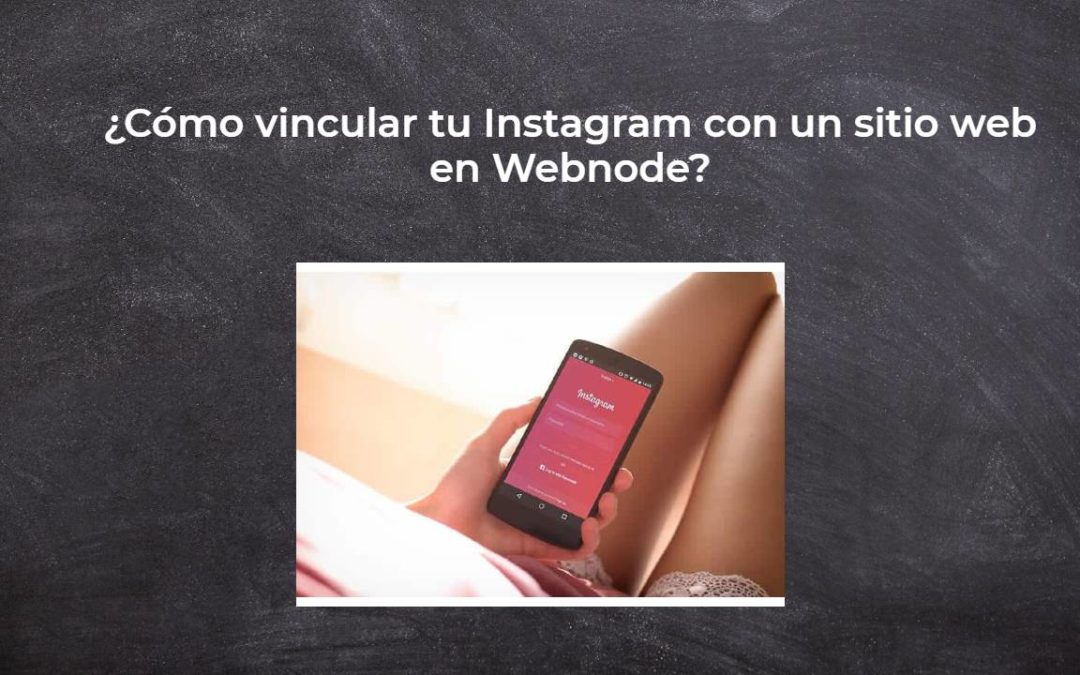
¿Cómo vincular tu Instagram con un sitio web en Webnode?
Así que, ¿quieres MOSTRAR tus fotos actuales de tu Instagram en tu sitio web de Webnode? En el tutorial ¿Cómo agregar iconos de una red social (FB e Instagram) a la parte superior del sitio web de Webnode? Te mostré una solución muy simple: agregar íconos de...

