


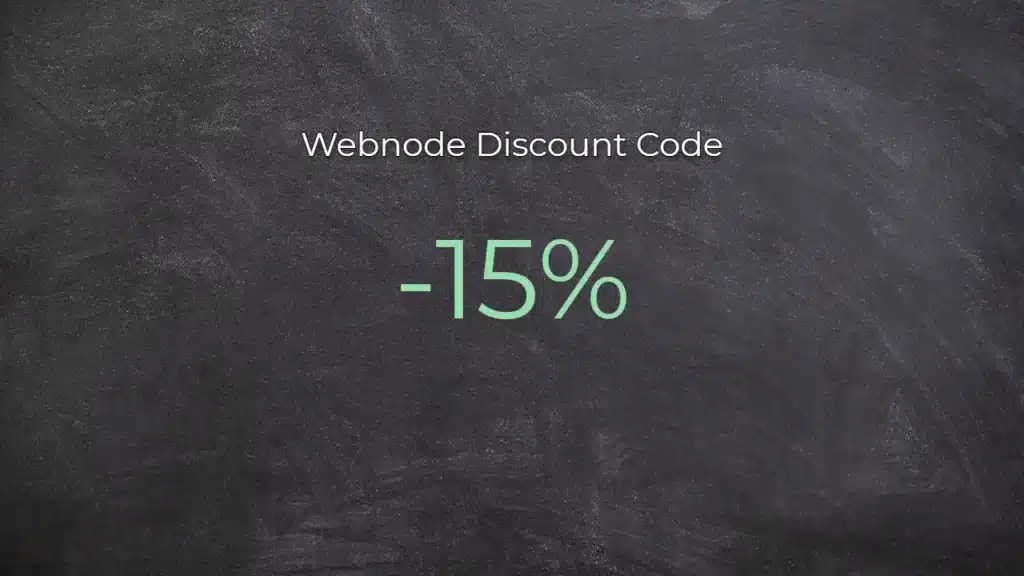
Webnode Discount Code 2026: Get an Extra 15% Off Premium Plans
Are you already using Webnode, or are you just thinking about creating your website? We have an up-to-date Webnode discount code that gives you 15% off selected Premium plans.
This limited-time offer is valid until January 31, 2026, making it a perfect opportunity to start the new year with a better, more professional website.
We have been writing about Webnode since 2016, and this is the very first time in history that Webnode has offered such a generous discount (via a Webnode discount code)!
With this code, you get:
- 15% off the Premium plan (new activation or renewal of an existing plan)
- Discount valid from December 10, 2025 to January 31, 2026
- Supported plans: Mini, Standard, Profi, Business
Where the Discount Applies
The discount code can be used for websites registered in the following regions:
- Europe
- North America
- Japan
- Taiwan
How to Use the Webnode Discount Code
- Log in to your Webnode account.
- Select the website where you want to activate the Premium plan.
- Go to the Premium Plans section.
- Choose the Mini, Standard, Profi, or Business plan.
- Enter the discount code TBH3-77XA during checkout and click Activate.
- Confirm your order and the discount will be applied automatically.
Why Webnode Premium Is Worth It
- Custom domain with no Webnode ads
- More storage space for content and images
- Advanced features for business and projects
- A professional-looking website
Discount Summary
Discount: additional -15%
Valid until: January 31, 2026
Plans: Mini, Standard, Profi, Business
Regions: Europe, North America, Japan, Taiwan
Discount code: TBH3-77XA
Take advantage of this limited-time offer and get your Webnode Premium plan at a lower price. Don’t wait — this promotion may not be available again.
More awesome tutorials

Jak vložit Facebook Pixel kód na web ve Webnode?
Chtěli byste si propojit Váš web ve Webnode s Facebook? V návodu Jak přidat remarketing kód ve Webnode? jsem Vám přiblížil co ten remarketing vlastně je. Pojďme se nyní společně podívat na FB reklamu a Vaše další možnosti :)Co je to ten Facebook Pixel? Facebook...

Kuinka voin vaihtaa Facebookissa jaetun linkin kuvan
Eikö kuva näy oikein kun jaat linkin Facebookissa? Jos jaat Facebookissa linkini, voi käydä niin, että linkin yhteydessä ei tule mikään kuva näkyviin tai ilmestyy väärä kuva. Saat selville seuraavassa muutamassa vaiheessa, kuinka helposti vaihdat jaetun linkin kuvan....

Kuinka vaihdan sivun, artikkelin tai tuotteen URL-osoitteen Webnodella
Haluatko vaihtaa Webnode-sivun URL-osoitteen? Tämä opas kertoo, kuinka vaihdetaan sivun, artikkelin tai tuotteen URL-osoite. 1. Sivun URL-osoitteen vaihto. Klikkaa ”Sivut” editorin yläpalkissa, valitse sivu ja sitten ”Sivun SEO-asetukset”. Kirjoita uudelleen...

Kuinka lisään Webnode-sivuilleni lumisaden animaation HTML-koodi
Haluatko parantaa Webnode-sivusi lumisade animaatiolla? Se on helppoa! Tämä opas kertoo, kuinka lisäät online lumisadetta. Helposti ja ilmaiseksi. Lue lisää! #Aloitetaan! 1. Kirjaudu sisään Webnode-sivusi editoriin ja lisää lla oleva HTML-koodi osioon...

Kuinka lisään Webnodella GIF-kuvan
Haluatko lisätä Webnode-sivuillesi GIF-kuvan? Webnode-järjestelmä ei tue gifejä, jos niitä lisätään kuvana. Sen takia sinun tulee ensin ladata haluttu GIF-kuva tälle sivulle ja näin saada kuvan URL-osoite. Lisää saatu URL-osoite koodiin ja sitten lisää HTML-koodi...
Ako vložiť Facebook Pixel kód na web vo WEBNODE?
Chceli by ste si prepojiť Váš web vo Webnode s Facebook? V návode Ako pridať remarketingový kód vo Webnode? som Vám priblížil čo ten remarketing vlastne je. Poďme sa teraz spoločne pozrieť na FB reklamu a Vaše ďalšie možnosti :)Čo je to ten Facebook Pixel? ...
How to rename “Cart” in the menu in WEBNODE e-shop?
Would you like to rename the cart in the e-shop in Webnode from "CART" to "My Cart"? With my simple tutorial, you will definitely be able to do it. Just subscribe to my newsletter - William Promotions News - and get the pre-prepared code. In the code, you can...
Jak přejmenovat “Košík” v menu ve Webnode e-shopu?
Chtěli byste přejmenovat košík v e-shopu ve Webnode z "Košík" na např. "Můj košík"? S mým jednoduchým návodem to určitě zvládnete. Stačí se přihlásit do mého newsletteru - William promotions news - a získat předpřipravený kód. V kódu jednoduše změníte text na...
Ako premenovať “Košík” v menu vo WEBNODE e-shope?
Chceli by ste premenovať košík v e-shope vo Webnode z "Košík" na napr. "Môj košík" ? S mojim jednoduchým návodom to určite zvládnete. Stačí sa prihlásiť do môjho newslettra - William promotions news - a získať predpripravený kód. V kóde jednoducho zmeníte text...

