


Webnode kortingscode 2026: ontvang extra 15% korting op Premium-pakketten
Gebruik je Webnode al of overweeg je ermee te beginnen? Wij hebben een actuele Webnode-kortingscode waarmee je 15% korting krijgt op geselecteerde Premium-pakketten.
Deze actie is geldig tot en met 31 januari 2026 en is ideaal om het nieuwe jaar te starten met een betere, professionelere website.
Wij schrijven al sinds 2016 over Webnode, en dit is historisch gezien de allereerste keer dat Webnode zo’n hoge korting aanbiedt (via een Webnode-kortingscode)!
Met deze code krijg je:
- 15% korting op het Premium-abonnement (activering van een nieuw pakket of verlenging van een bestaand pakket)
- De korting is geldig van 10-12-2025 tot en met 31-01-2026
- Ondersteunde pakketten: Mini, Standard, Profi, Business
Waar de korting geldt
De kortingscode kan worden gebruikt voor websites die zijn geregistreerd in de volgende regio’s:
- Europa
- Noord-Amerika
- Japan
- Thailand
Hoe gebruik je de Webnode-kortingscode
- Log in op je Webnode-account.
- Selecteer de website waarvoor je het Premium-abonnement wilt activeren.
- Ga naar de sectie Premium-pakketten.
- Kies het pakket Mini, Standard, Profi of Business.
- Voer tijdens het bestelproces de kortingscode TBH3-77XA in en klik op Activeren.
- Bevestig je bestelling en de korting wordt automatisch toegepast.
Waarom Webnode Premium de moeite waard is
- Eigen domeinnaam zonder Webnode-advertenties
- Meer opslagruimte voor content en afbeeldingen
- Geavanceerde functies voor bedrijven en projecten
- Professionele uitstraling van je website
Samenvatting van de kortingsactie
Korting: 15%
Geldig tot: 31 januari 2026
Pakketten: Mini, Standard, Profi, Business
Regio’s: Europa, Noord-Amerika, Japan, Taiwan
Kortingscode: TBH3-77XA
Maak gebruik van deze tijdelijke aanbieding en krijg het Webnode Premium-pakket tegen een lagere prijs. Wacht niet te lang – deze actie kan zomaar niet meer terugkomen.
Meer handige handleidingen


How to set redirection to external URL from a bookmark in the menu on Webnode?
Are you looking for a way to set redirect from Menu in Webnode to a different website (by clicking on the menu item) ? Let's do it! 🙂 1. Create a New Page in Menu. 2. Edit the code below as follows: You can adjust the value of line...

How to add a custom search box to my website/e-shop in Webnode?
In the tutorial How to add a product searchbox in Webnode e-shop? I've shown a simple solution for adding your own search engine. Let's take a look at another search engine and your other options.Create your own search box using Google Custom Search Engine Find...
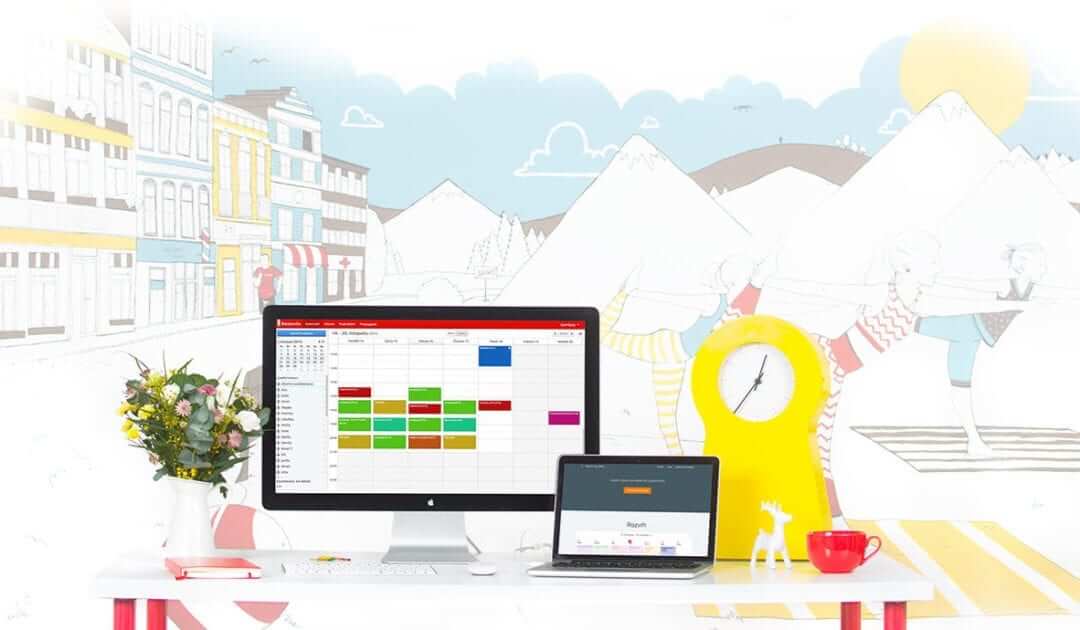
How to add an online reservation system to Webnode? It’s Free!
Do you need an powerful online booking reservation system? Works perfectly with Webnode.Whatever you do, Reservio is a great choice for organizing your time! 🙂 And what does the Reservio online booking system offer to you? a clear calendar where you can find...

How to connect own domain or subdomain with Webnode? Set DNS records easily
Do you want to change the URL of the "webnode" website to your own domain f.e "mydomain.com" or "e-shop.mydomain.com" ? Using your own domain is a feature included in the Premium plans: Limited, Mini, Standard, and Profi. After purchasing one of the Premium...

How to add Webnode website to Search engine Bing.com?
Looking for a way to add your website to Bing.com? Read more! In tutorial How to add a Webnode website to Google Search? I have shown how to link your site to Google. (automatic index) Now let's look at Bing.com. Bing.com is the second most used search engine and...

How to change the color of a label when copying text?
Are you looking for a way to change the color of the label (mark) when copying? This color is preset in blue. In this tutorial, I'll show you how you can easily change the color and thus improve the look of your site. #Let's do it 🙂 1. Log in to editing the...

How to easily add a website to the Google My Business?
Instruction for registration in the catalog of companies My Business - Google. *Service is for FREE. Let's now take a look at the largest catalog of companies in the world - Google My Business. Registering in My Business is an excellent way to show your business on...

How to change the image for a shared Facebook link in Webnode?
You do not see the (preview) image when sharing a website in Facebook? If you share your website link on Facebook, it may happen that no picture appears or an image you do not want appears. In the following steps, you'll learn how to change the image for the shared...
How to change the URL address of a Webnode page, article or product?
Do you need to change the URL for a Webnode page? In this tutorial, I'll show you how to change the URL of a page, article, and product in Webnode. 1. Change the URL of the page. In the top editor bar, click on "Pages" - "Choose a page" - "SEO page setup". and...

