



YouTube Video Tutorial (english subtitles)

Anweisungen zum Erstellen einer Diskussion auf der Website des Diskussionsforums – disqus.com
In dieser Anleitung erfahren Sie, wie Sie der Webnode-Website eine Diskussion hinzufügen, damit Besucher Ihrer Website Kommentare hinzufügen oder diskutieren können.
Wir werden eine externe Anwendung verwenden – HTML-Code.
1. Registrieren Sie sich
Der erste Schritt ist die Registrierung auf disqus.com.
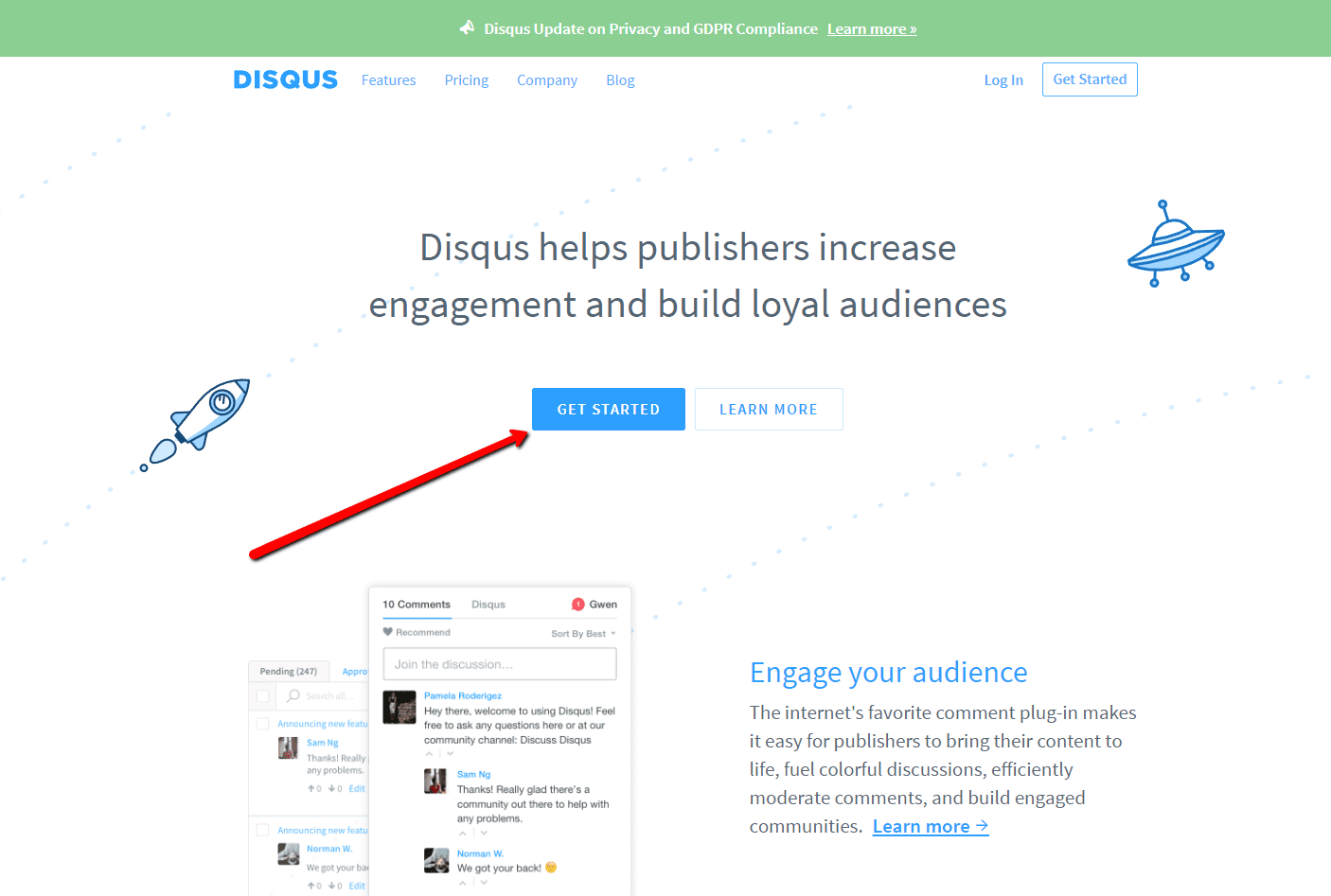

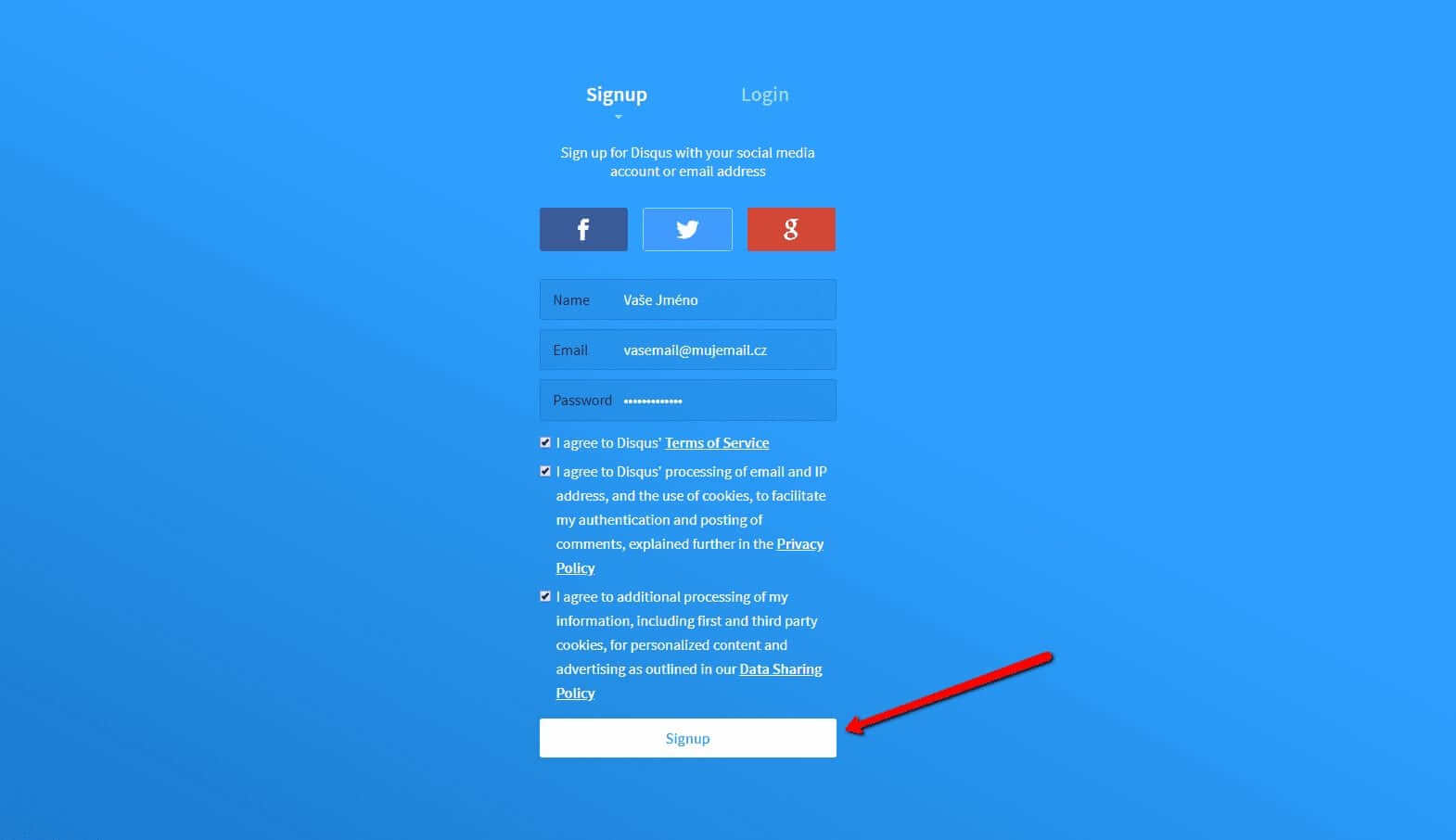
2. Geben Sie die Anmeldedaten ein
Sie können sich mit einem Konto in einem sozialen Netzwerk oder per E-Mail anmelden.

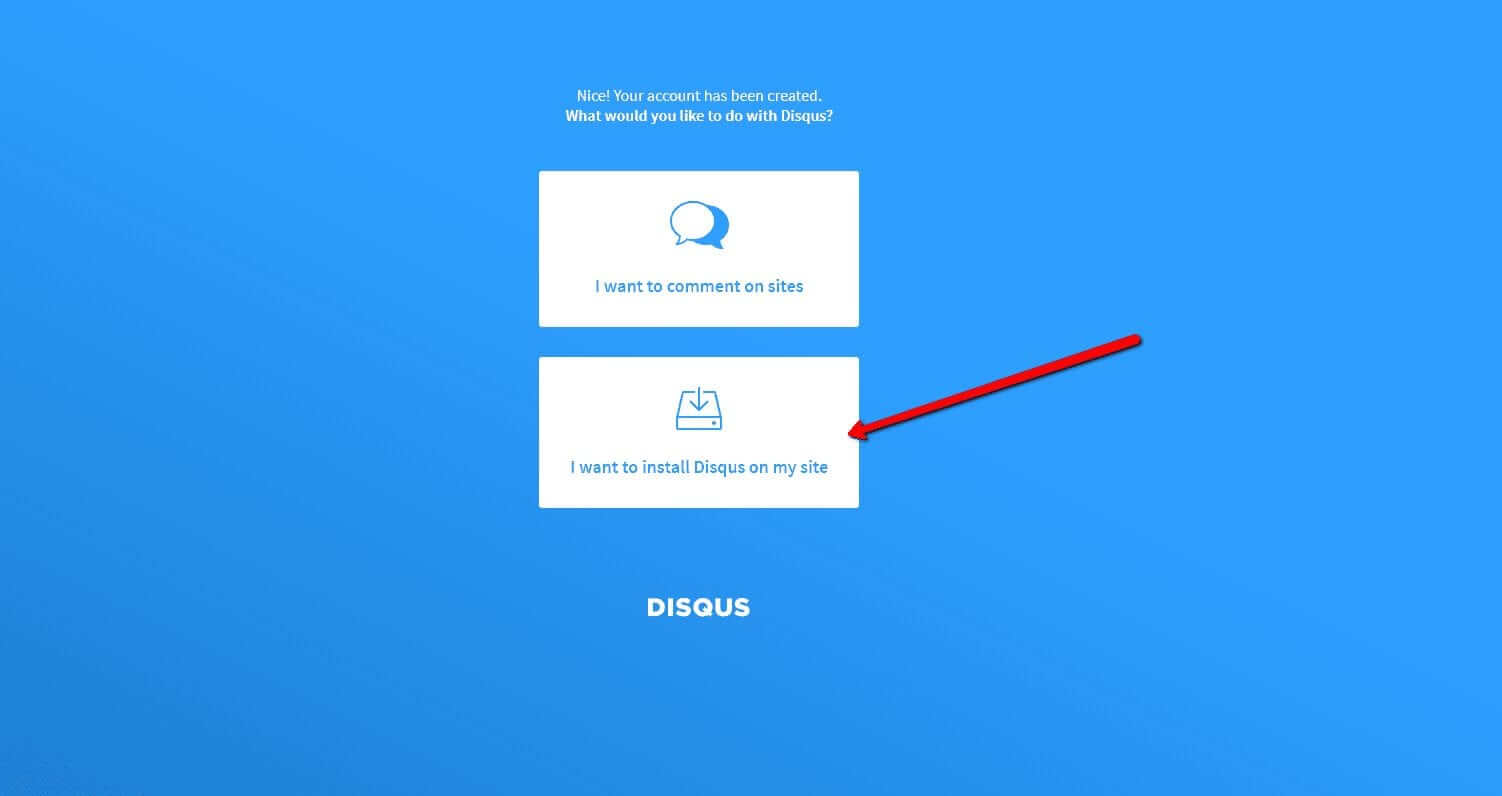
3. Wählen Sie die Option Disqus im Web installieren
Jetzt müssen Sie nur noch den Zweck auswählen, für den Sie Disqus verwenden möchten.
Wählen Sie die zweite Option – “I want to install Disqus on my site“

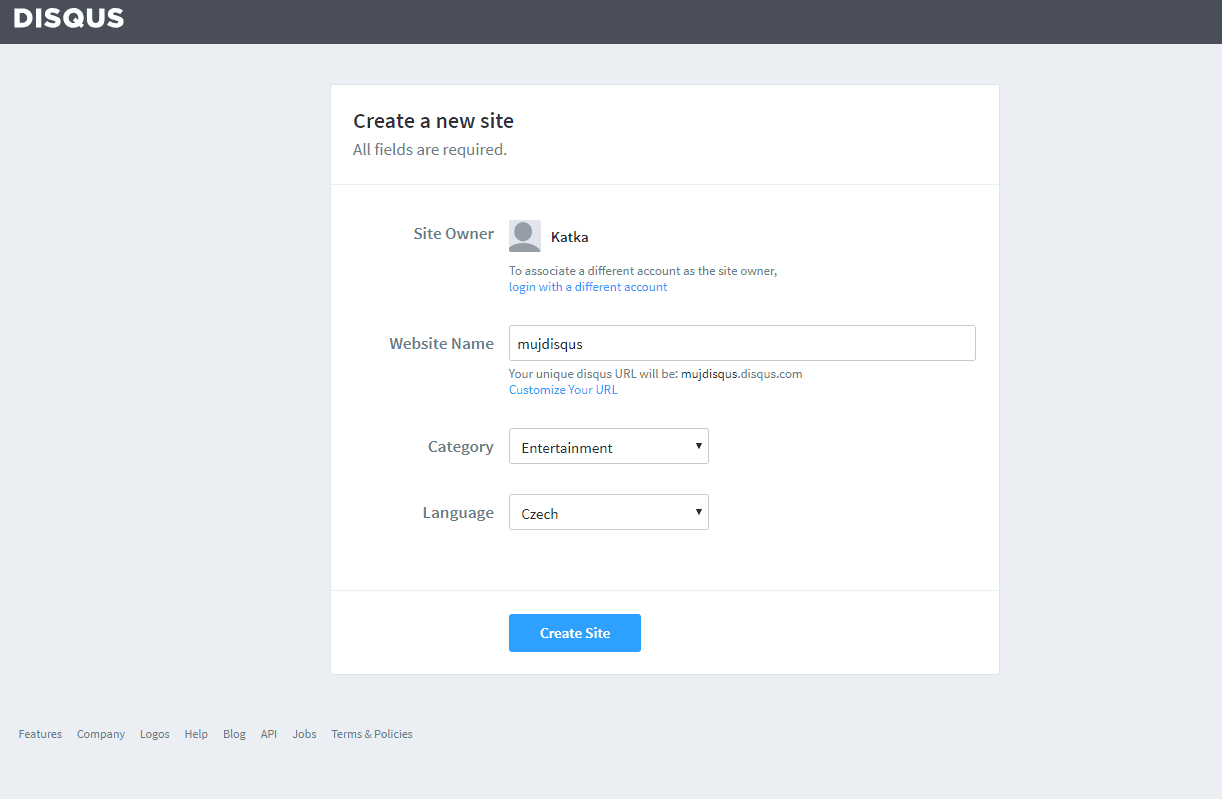
4. Erstellen Sie die Seite
Geben Sie den Seitentitel, die Kategorie und die Sprache ein. Alle Felder sind erforderlich. Bestätigen Sie mit “Create Site“.

5. Wählen Sie einen Plan
Sie können zwischen kostenlosen Plänen (Basic, Free) und Premium-Plänen (Plus, Pro) wählen. Für den normalen Gebrauch sind kostenlose Pläne ausreichend.
Es ist aber Ihre Entscheidung.
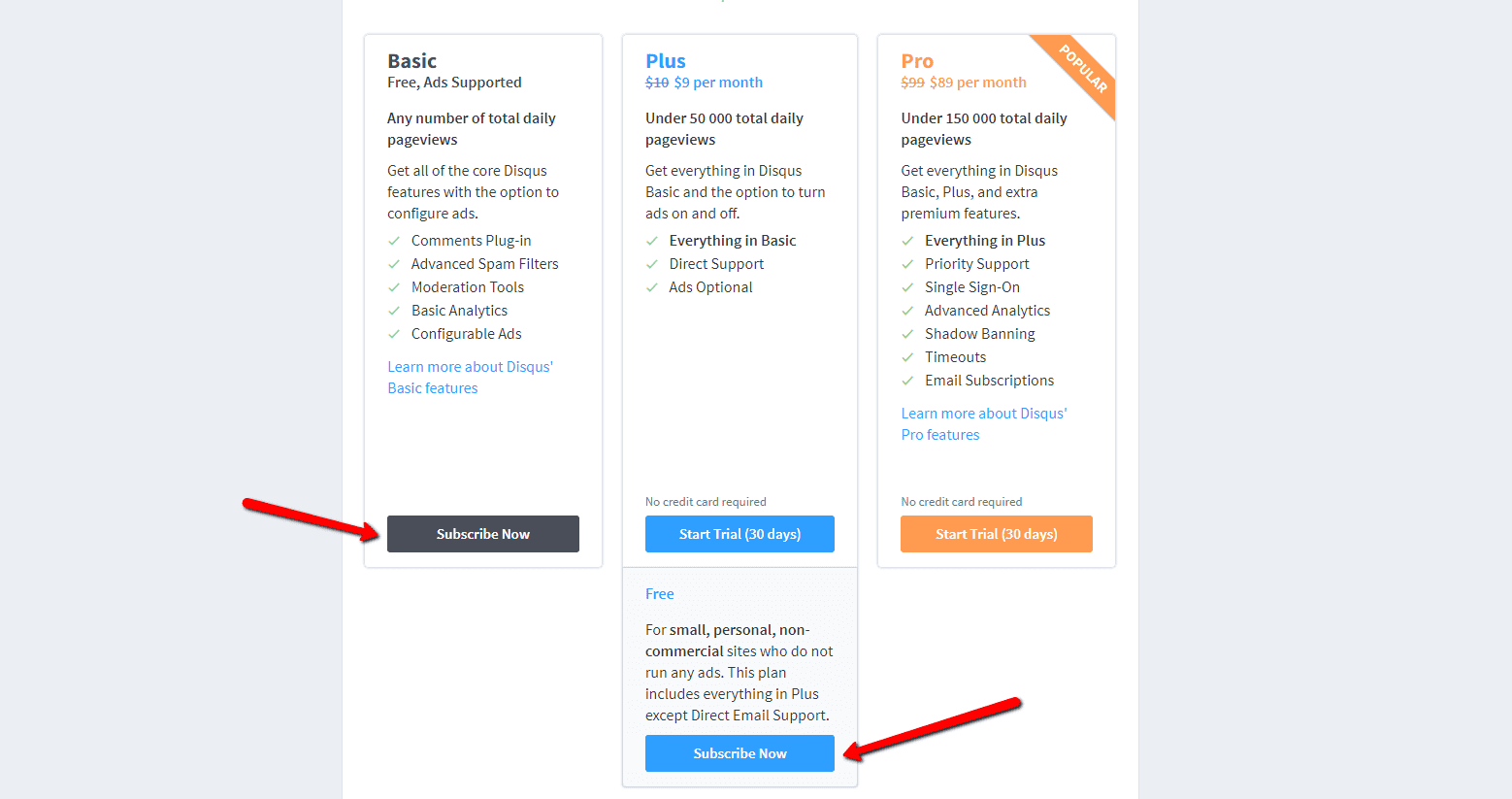

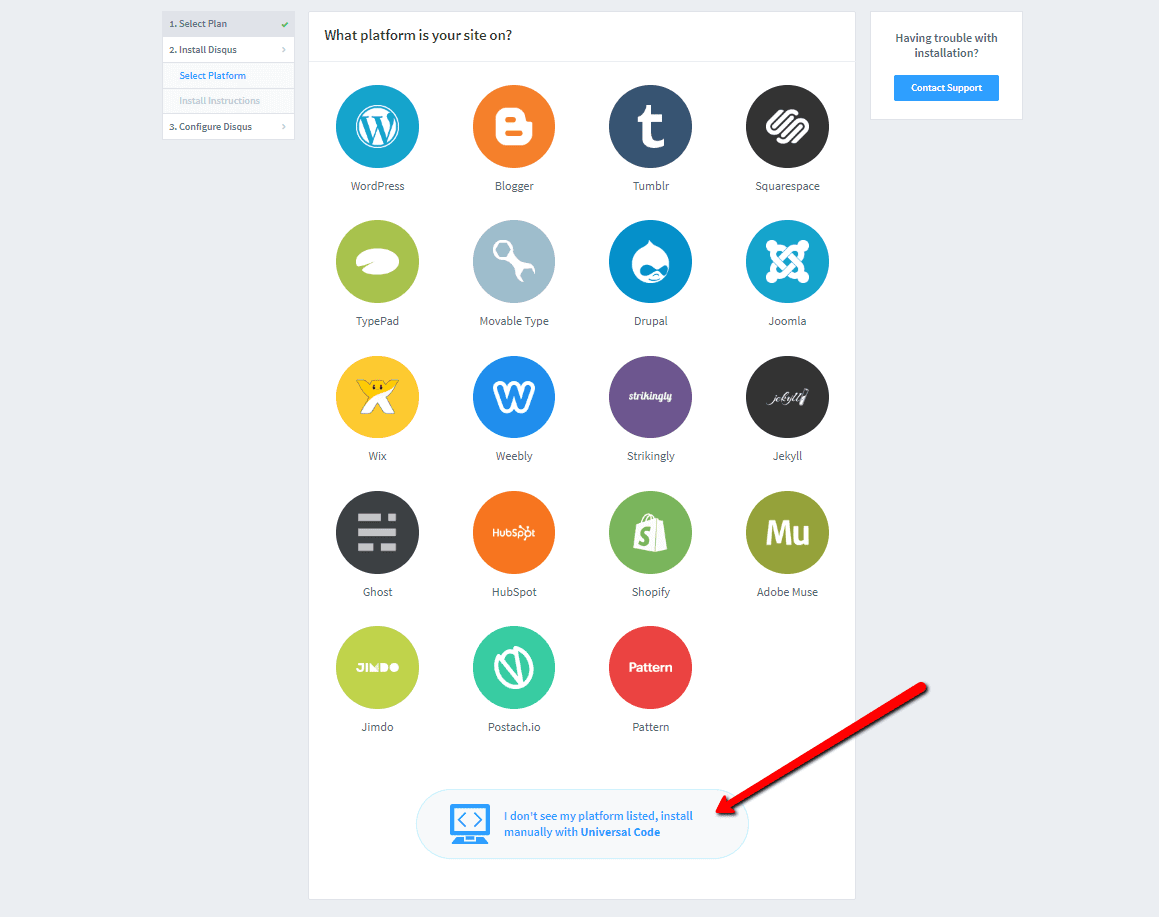
6. Wählen Sie die Webinstallationsoption
Wählen Sie für die Installation das manuelle Einfügen mit Universalcode (“Universal Code“).

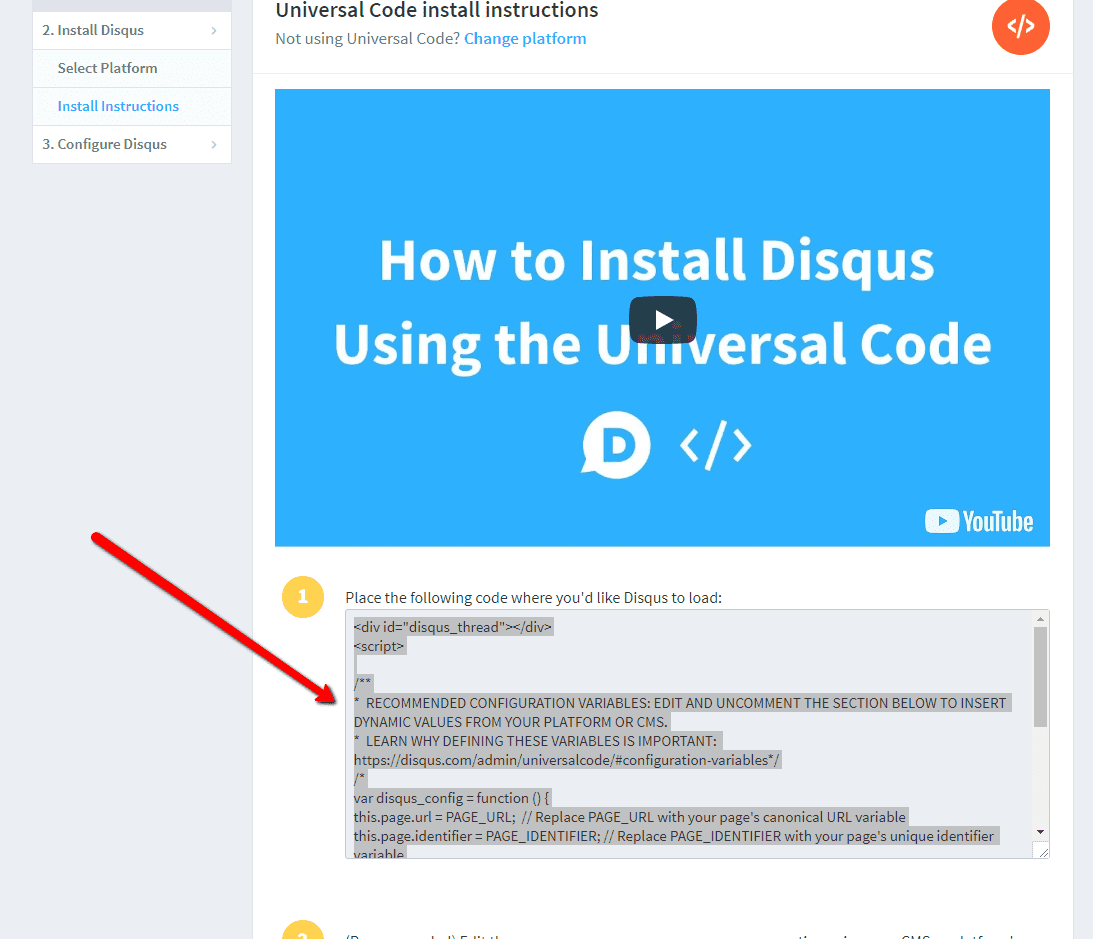
7. Kopieren Sie den Code
Wählen Sie den gesamten HTML-Code in Punkt 1 aus.
Kopieren Sie den Code.

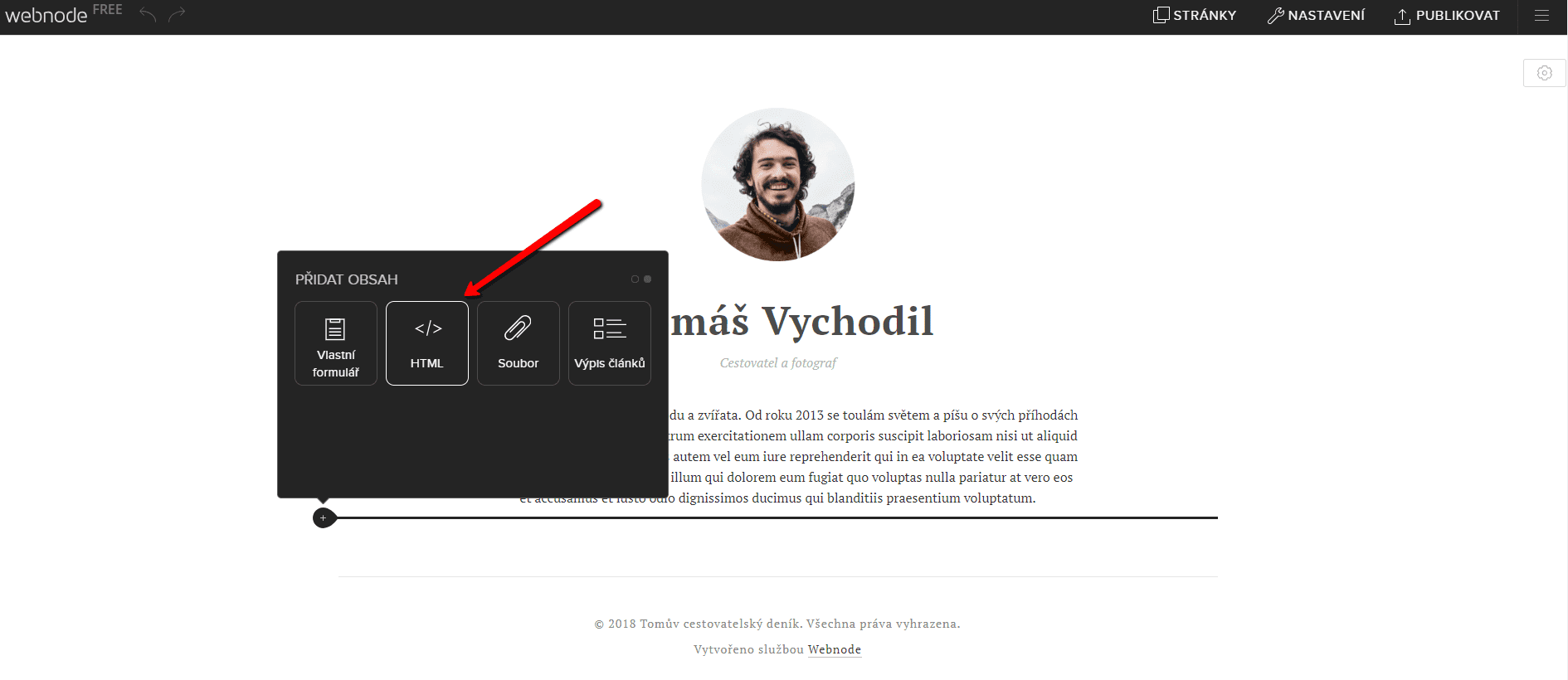
8. Fügen Sie den Code in die Website ein
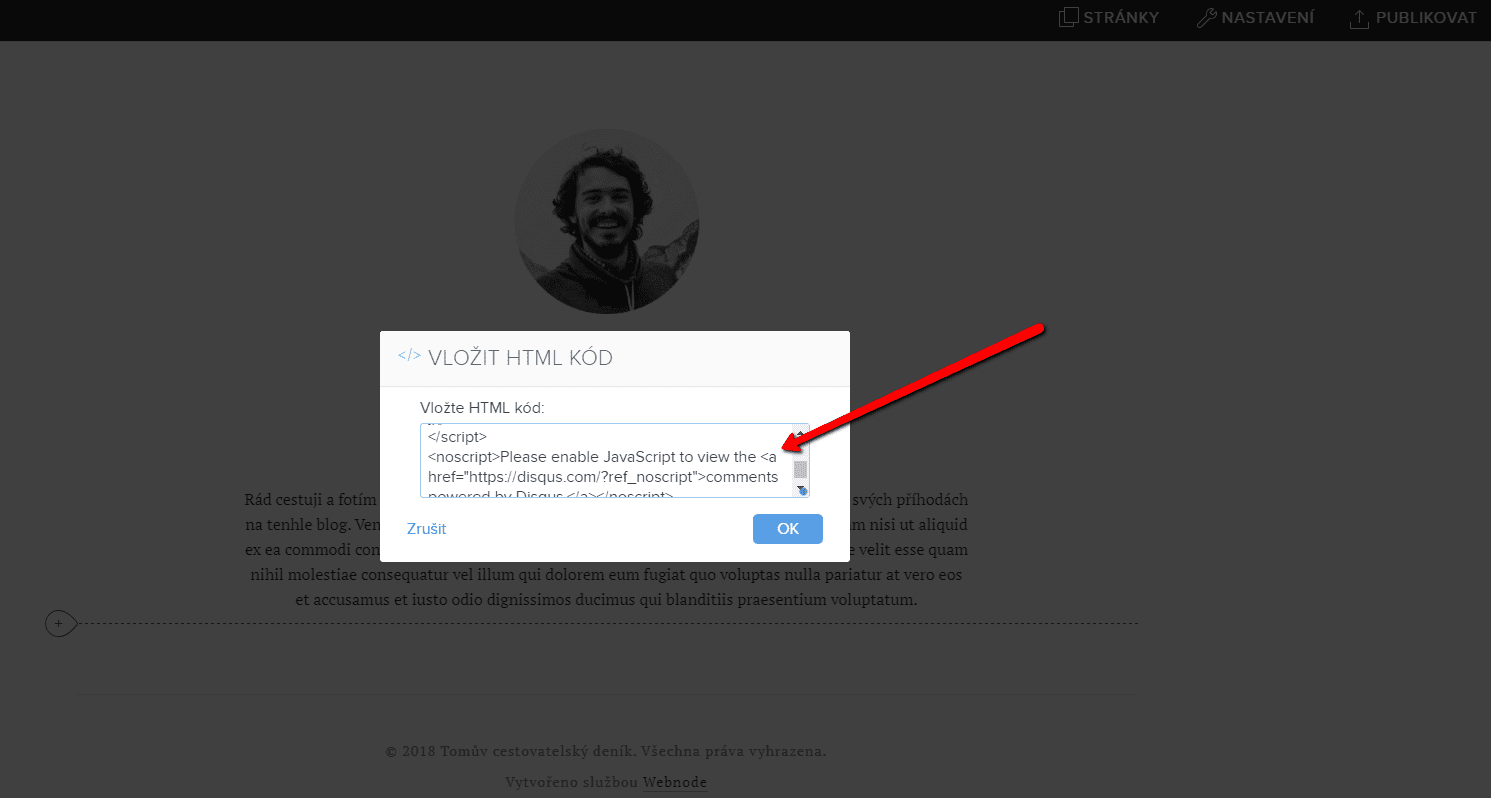
Gehen Sie im Projekt zu der Stelle, an der Sie das Forum einfügen möchten. Wählen Sie „Inhalt hinzufügen“ → HTML.
Fügen Sie den gesamten kopierten HTML-Code ein.
Vergessen Sie nicht die Änderung zu publizieren.


.
Und es ist geschafft. Sie können auf dieser Seite sehen, wie das resultierende Forum im Web aussieht:
Weitere tolle Tutorials

Kuinka luon ankkurilinkin
Videotutoriali englanninkielisillä tekstityksillä Ankkuri toimii linkkinä samalla sivulla. Linkin kautta et näe eri sivua (verkkosivua), vaan sinut siirretään toiseen kohtaan sillä sivulla, jota parhaillaan katsot. Ankkurin (välilehden) muodostaminen...

How to add falling confetti to your WEB/E-SHOP ?
How to add animation - falling confetti to Webnode websites?I got an question in my Webnode free support if it is possible to add an animation of falling confetti on the Webnode website. Yes, it is possible - for everyone who is looking for "falling confetti on the...

Jak na web pridať padajíci konfety?
Jak na webové stránky vo Webnode pridať animáciu - padajíci konfety?Do mé Webnode poradny přišla otázka, zda je možné na webu ve Webnode přidat animaci padajících konfet. Ano je to možné - pro všechny, kteří hledají "padající konfety na web" jsem připravil kód, který...
Ako na web pridať padajúce konfety?
Ako na webové stránky vo Webnode pridať animáciu - padajúce konfety?Do mojej Webnode poradne prišla otázka, či je možné na webe vo Webnode pridať animáciu padajúcich konfet. Áno je to možné - pre všetkých, ktorí hľadajú "padajúce konfety na web" som pripravil kód,...

Jak propojit Google Tag Manager s webem od Webnode?
Co je to Google Tag Manager?Internetový (online) marketing vyžaduje vkládání různých měřících kódů na Váš web či e-shop. Abyste nemuseli vkládat každý měřící kód "ručně" do hlavičky, či patičky webu můžete použít službu Google Tag Manager, která Vám umožní vložit na...

Ako prepojiť Google Tag Manager s webom od Webnode?
Čo je to Google Tag Manager?Internetový (online) marketing vyžaduje vkladanie rôznych meriacich kódov na Váš web či e-shop. Aby ste nemuseli vkladať každý meriaci kód "ručne" do hlavičky,či pätičky webu môžete použiť službu Google Tag Manager, ktorá Vám umožní vložiť...
How to connect Google Tag Manager with Webnode website?
What is Google Tag Manager? and why you need it?Online marketing requires embedding of various measurement codes on your website or e-shop. In order to avoid having to insert each tracking code "manually" into the header or footer of the website, you can use the...

Jak skrýt nákupní košík v e-shopu Webnode?
Jak skrýt nákupní košík v e-shopu Webnode?Máte u společnosti Webnode vytvořený e-shop a chtěli byste skrýt nákupní košík v menu a tlačítko "Přidat do košíku", abyste mohli využívat e-shopové prvky jako např. přidávání produktů, avšak nechcete využívat e-shop jako...

