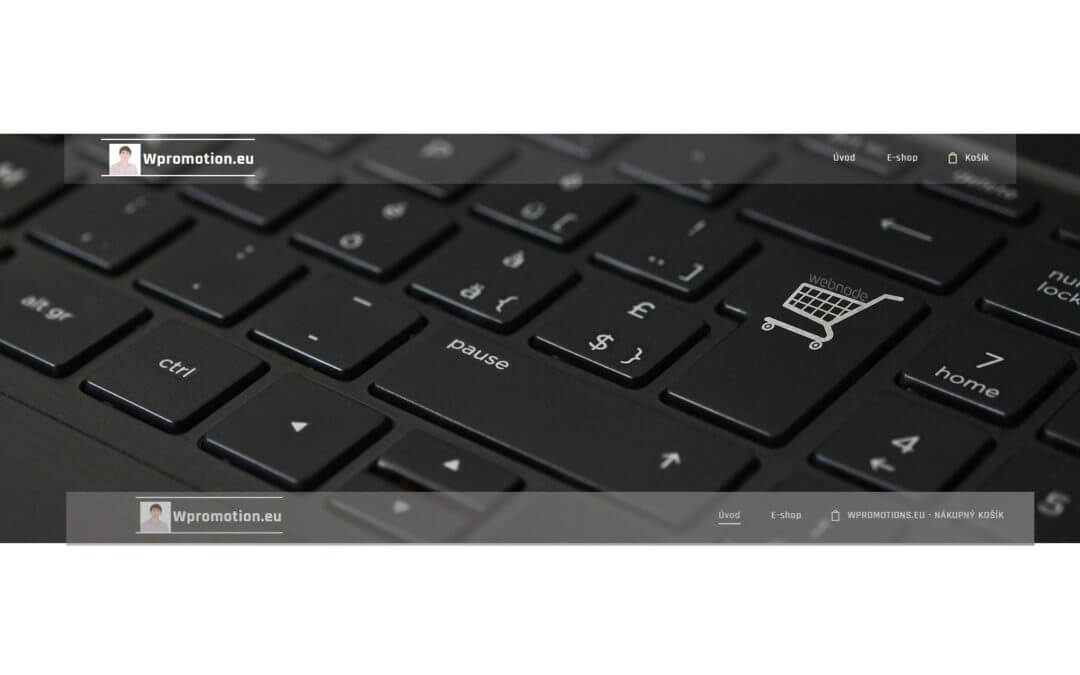
Would you like to rename the cart in the e-shop in Webnode from “CART” to “My Cart”?
With my simple tutorial, you will definitely be able to do it.
Just subscribe to my newsletter – William Promotions News – and get the pre-prepared code.
In the code, you can simply change the text to your own and you can name the cart as you want 🙂
After that insert the code on your website in Webnode and rename CART in the menu.
DEMO:
- Subscribe to my newsletter to get a code:

2. Edit the pre-prepared code – simply rewrite the name “My Cart” in the code to your own cart name.

3. Paste the modified code in the footer of your WEBNODE e-shop
If you have purchased Standard or Profi Premium Services from Webnode, you can paste the code into all pages of the website with a single click.
At the top of the editor, click “Settings” – “Website Settings” – “HTML Header / Footer” – “HTML Footer“.
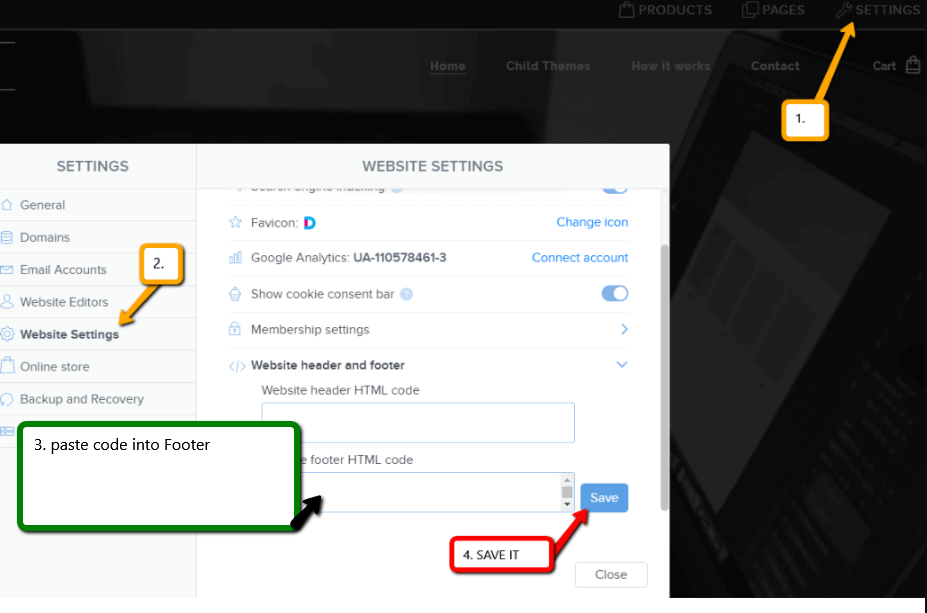
You’re done – in the published version of your e-shop -, the cart in menu will appear under its new name! 🙂
4. Publish changes:
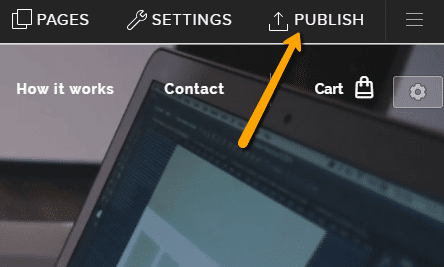
YOU ARE DONE – You have successfully renamed your cart in the e-shop from Webnode.
I hope you have succeeded and I look forward to your feedback in the comments.
Thank you for subscribing and good luck and lot of success in online business 🙂
PS: Don’t forget to subscribe to my Facebook and YouTube for more great tutorials, tips and tricks
More awesome tutorials

How to connect Google Calendar to my website in Webnode?
Google Calendar - great help with organizing your time Google Calendar is a web application for organizing your time. In this tutorial, we'll learn how to insert Google Calendar into a Webnode website. 1. The first step is to create an account with Google - here 2. ...
How to change the email in a Webnode contact form?
Do you need to change the email in the contact form in Webnode? The email in the Webnode contact form is pre-set to the email you use to log in to Webnode. If you want to change the email in the contact form, follow these instructions: 1. Login to the...

How do I easily link my Facebook to my website in Webnode?
Do you need to insert a widget for linking a Facebook site to a website? In tutorial How to add a social network icons (FB and Instagram) to the top of the Webnode website? I have shown an elegant solution for linking soc. networks with your website. Let's now...
Do you like this tutorial? Share it, please 🙂