Do you want to add a poll on a Webnode website?
The free online questionnaire (web survey/poll) is one of the most common ways to get feedback from your website visitors. Without feedback, it is difficult to say whether you are acting correctly on your customers and whether your business makes sense at all.
Using online questionnaires is an effective tool for determining customer satisfaction.
Thanks to the questionnaires you can find out not only what the customer really needs, but also whether he is satisfied with your services.
How do you easily create and share such an online satisfaction questionnaire on your website?
To create an online poll I recommend awesome Survio service.
This application allows you to easily create an online questionnaire for free and offers a choice of modern templates.
How to create an online questionnaire (poll) using Survio
and embedding poll on website in Webnode
- Sign up for free with Survio: https://www.survio.com/en/
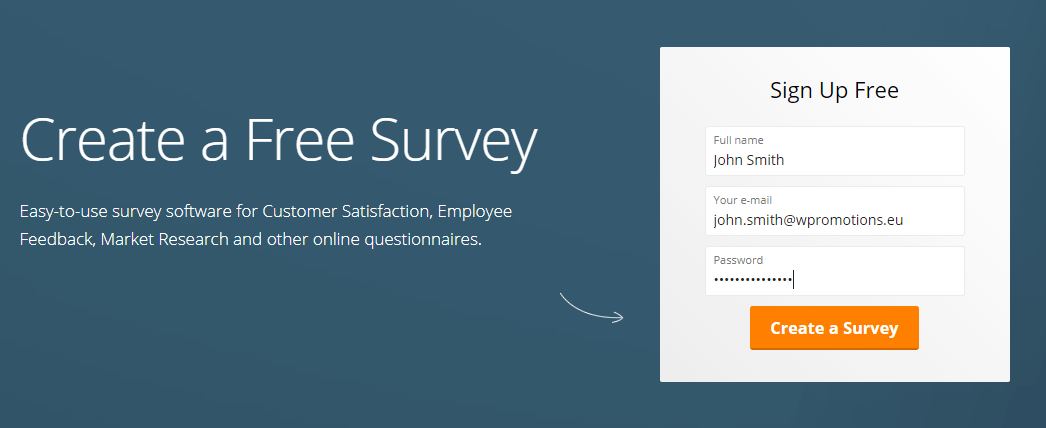
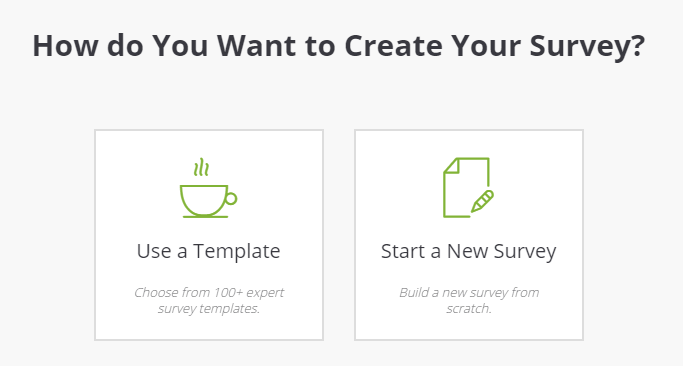
2. In the next step, you can choose whether to use a pre-built template or create a poll from scratch.
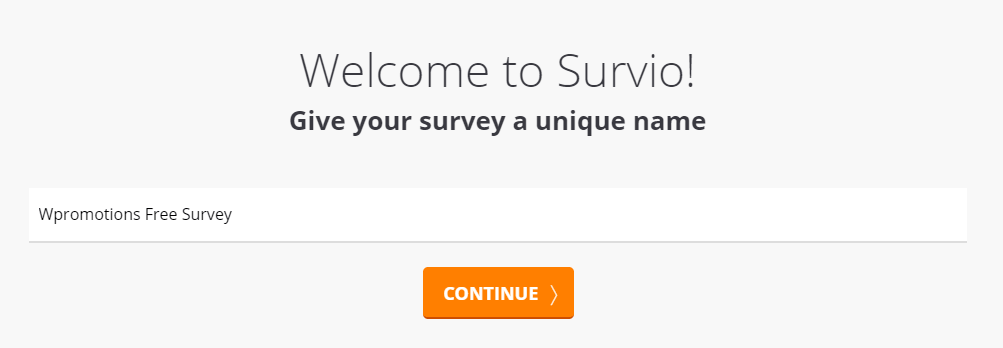
3. Please enter a name for your questionnaire and continue.
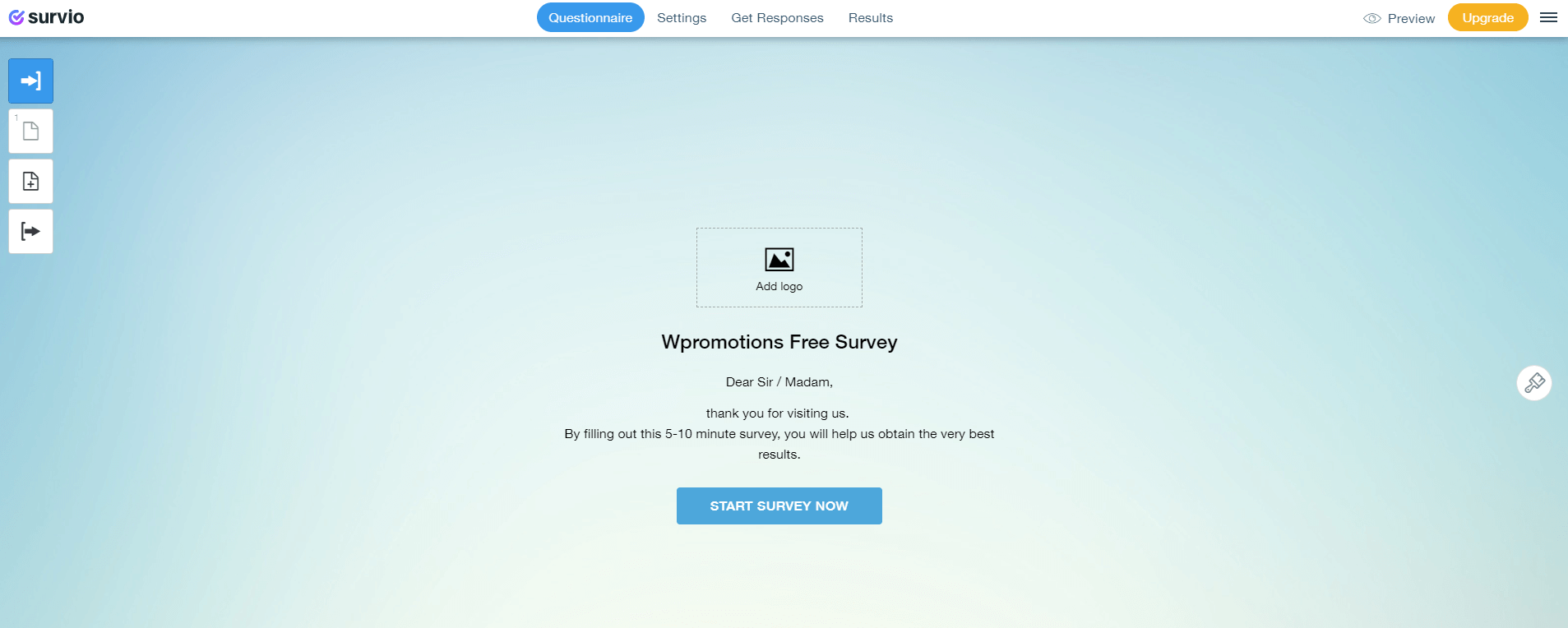
4. In a simple editor, add more questions and answers.
5. When you are done creating the questionnaire, click “Get Responses” at the top bar and select “Get the Code“
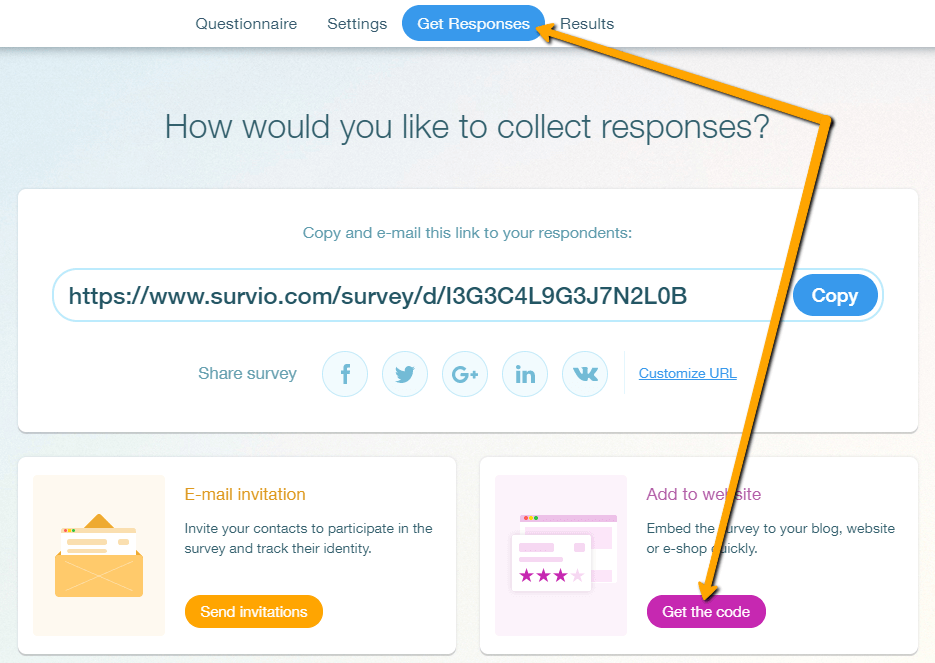
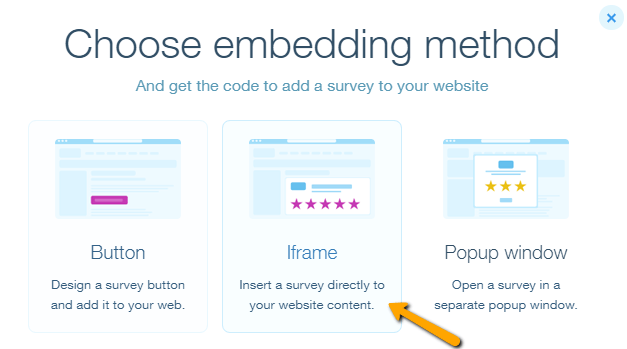
6. You can embed the questionnaire on the web using the Button, Iframe code, or pop-up window. I choose the “iframe” option to show my poll directly in the content of my site.
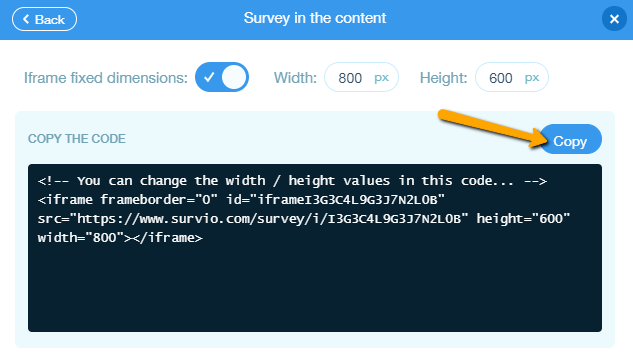
7. Copy the code of your questionnaire by clicking on “Copy“
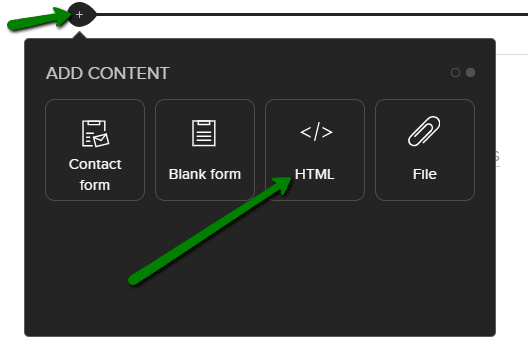
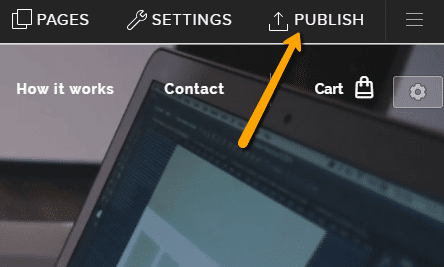
8. Log in to Webnode and Iframe put the questionnaire code on your website using the “+” and “HTML” buttons and publish the changes.
All done! Would you believe that creating a free online questionnaire is so easy??
You can follow the results of your survey in Survio – they are graphically processed and you can also download them in various formats (eg xls, pdf) to your PC.
Do you know any other best ways to create an online poll and get feedback from visitors? Share them in comments. Well thank you.
Demo: Survio poll
More awesome tutorials

How to download an invoice in Webnode?
Are u looking for your invoice for paid services at Webnode? In this tutorial I will show you exactly where you will find your invoice in Webnode. You can download the invoice directly in your project's administration. (cms) Important note: Only the site owner (the...

How to easily edit the content of 404 page in Webnode?
Looking for a way to edit page 404 (page not found) in Webnode? In this tutorial, you will learn how to edit the 404 Webnode page. Page 404 is important if a link to your site no longer exists. Page 404 will always appear whenever a visitor visits a non-existent page...

How to add a conversion code in Webnode?
Looking for a way to embed a conversion code for Webnode from Adwords, etc. ? What is that conversion? Simply: Conversion is something you want a visitor to do on your site (filling in a form, purchasing a product in an e-shop, etc.) Conversion is the...

How to add a social network icons (FB and Instagram) to the top of the Webnode website?
You are looking for a way to insert the social icons at the Webnode website? (to the top of the site) In tutorials How do I easily link my Facebook to my website in Webnode? and How to link your Instagram with website in Webnode? I've shown how you can link...

How To Create A Professional Email Signature? Simply and FREE
Looking for a easy way to create an email signature? (Gmail, Webmail, Outlook, etc.) Email signature is an inevitable part of modern communication between the customer and the entrepreneur. Business email will increase credibility in the eyes of your potential...

How to add link to an email and phone number in Webnode?
Do you need to add a link to an email or phone number on the site created with Webnode? Email communication is a fast, simple and most commonly used link between you and your customers. For most potential customers, however, the main task is time, which can lead to...

How to create anchor links in Webnode? Click&Scroll
Videotutorial with ENG subtitles The anchor works as a link within a single page. You do not see a different page (web) through the link, but you will be taken to another place on the page you are currently viewing. Anchor formation (tabs) is divided into two...

How to add a Webnode website to Google Search?
Add a Webnode website to Google Search Engine We're all familiar with Google search engine, and it's not necessary to introduce it in any way. Search engines roam web pages regularly, and when they find a new site, they automatically add it to their search results. If...

How to add a discussion on a Webnode website? (DISQUS)
YouTube Video Tutorial (english subtitles) How to easily create a discussion using - disqus.com In this tutorial, you will learn how to place a discussion on the Webnode website so yours visitors can add comments to the site. We will use an external application - HTML...
Do you like this tutorial? Share it, please 🙂
Please, rate Survio.
How do you rate Survio? Do you like it?
[yasr_visitor_votes]